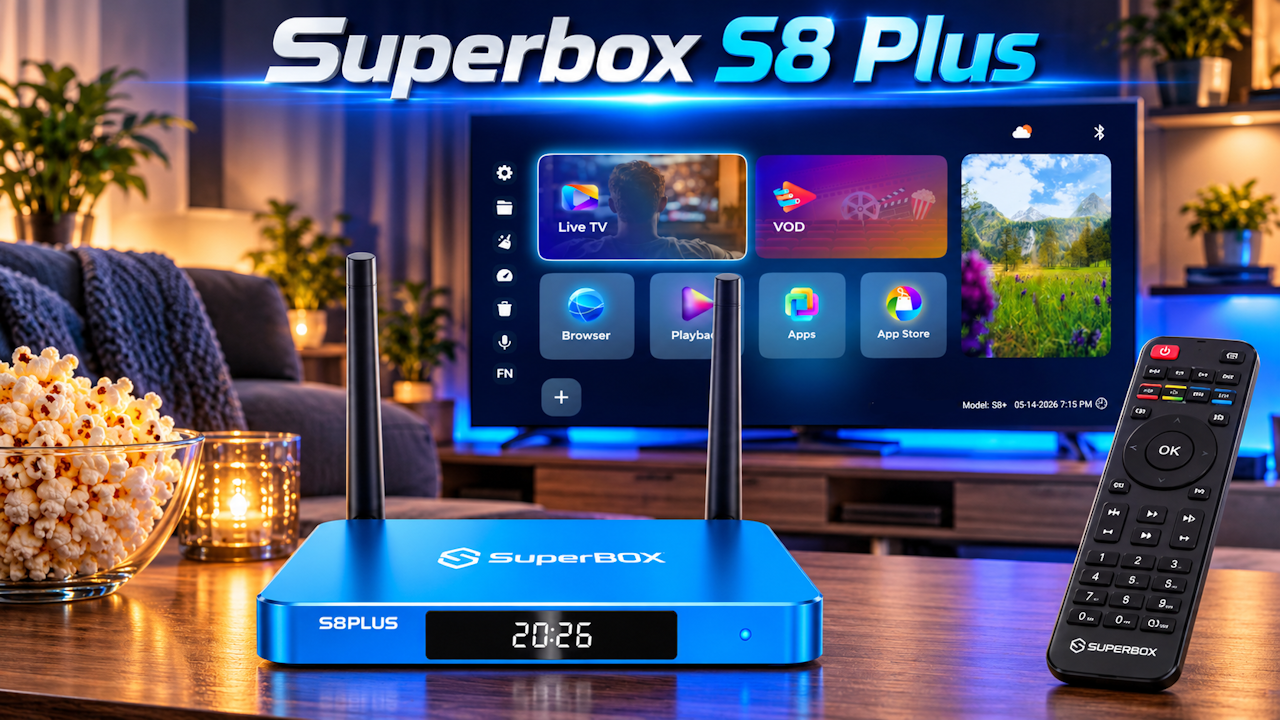
Superbox is back. And this time, it has two new models. Today, we look at the first of them. That model is the Superbox S8 Plus.
It runs on an Allwinner chipset. It also packs 4GB of RAM and 64GB of storage. On top of that, it brings a brand-new launcher. So, is it a real upgrade? Let’s find out.
Thanks to SuperboxMart.com for sending this unit for review. However, the views in this review are my own.
Contents
What’s in the Superbox S8 Plus Box?
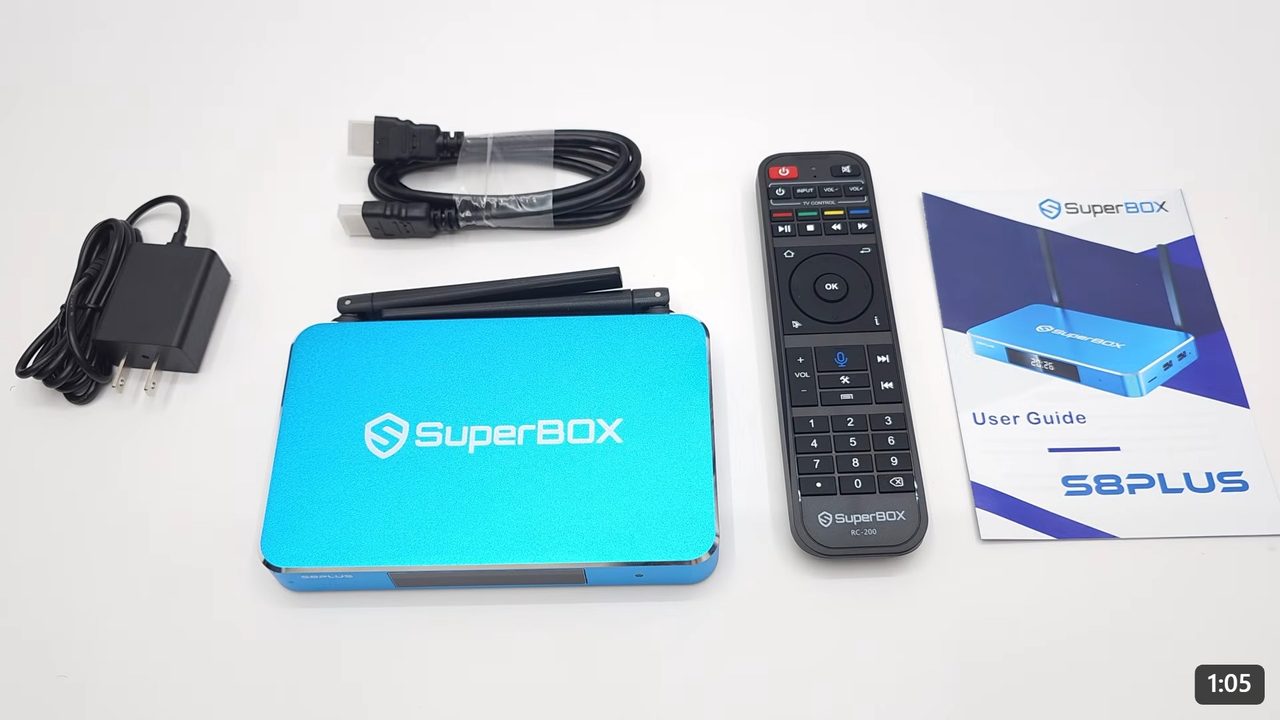
First, let’s open the package. Inside, you get the S8 Plus itself. Next, there is a Bluetooth voice remote. You also get an HDMI cable. In addition, there is a 5V 2A DC power supply. Finally, a user guide rounds it out.
It is a simple bundle. Still, it covers everything you need to get started.
Design and Build Quality
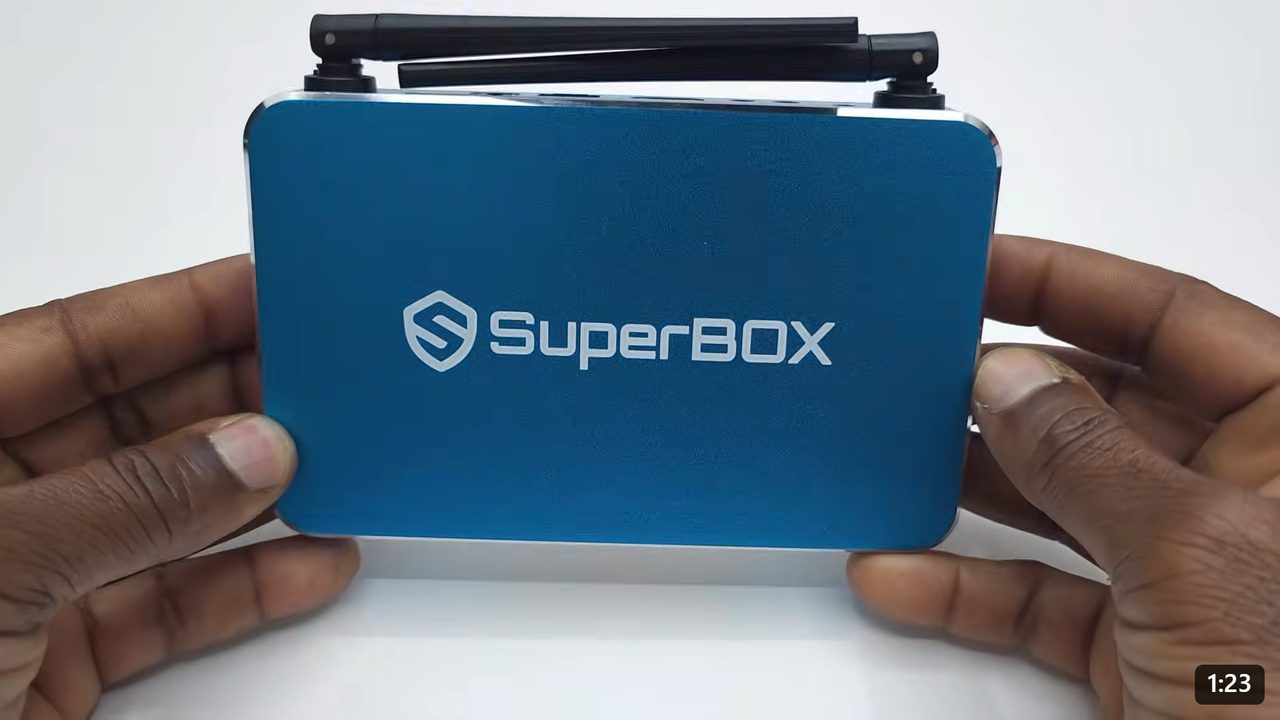
Now, let’s talk about design. The upper housing is plastic. Meanwhile, the edges have a glossy finish. Underneath, there is a metal baseplate. As a result, the box feels solid in the hand.
At the front, you get an LED display. On the base, there are four rubber feet. There are also ventilation holes to help with cooling. Moreover, two Wi-Fi 6 antennas sit at the rear.
Superbox S8 Plus Ports and Connectivity
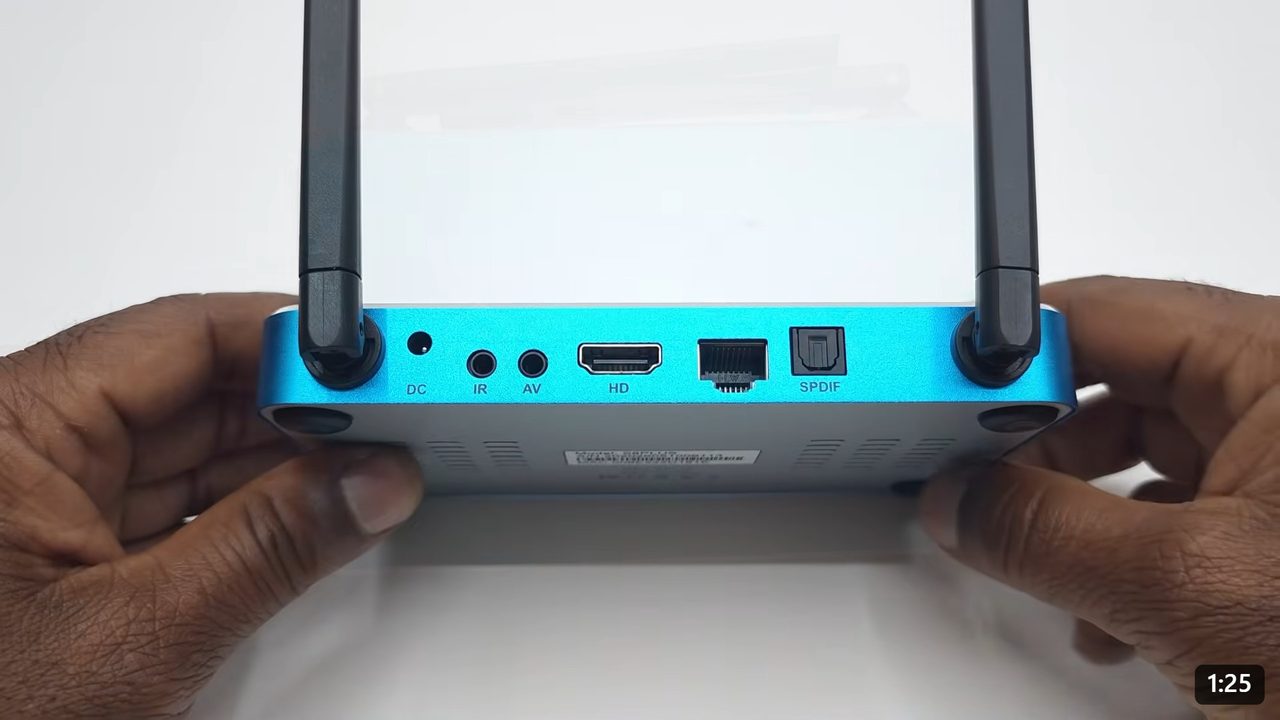
Ports matter. Fortunately, this box has plenty. For I/O, you get one HDMI 2.1 port. Next, there is an Ethernet LAN port. You also get optical audio and an AV port. In addition, there is an IR extender port and the DC input.
For storage, there is one USB 3.0 port. There is also a USB 2.0 port. On top of that, you get an SD card reader. Need to reset the box? The reset button sits on the side.
Setup and the New Launcher 8
Setup is quick. First, you see the usual Superbox boot animation. Then, a startup wizard appears. You only complete it once. After that, you land on the launcher.
However, the wizard skips one thing. It does not pair the Bluetooth remote. So, out of the box, the remote works over infrared. To pair it, open Settings. Then, select Bluetooth and choose “Pair a new device.” Next, hold the OK and Back buttons until the LED flashes. Finally, select the RC 200 remote.
Now, about the launcher. It is called Launcher 8. It has new icons. It also has a much longer shortcuts bar. Plus, the menu now sits on the left for easier access. You can use the remote. Alternatively, an air mouse or mini keyboard also works well.
Apps are not preinstalled. Instead, you add them through Superbox’s own APK app store. However, to be transparent, several alternative apps would not connect to their servers. Even with a VPN, they still failed.
Superbox S8 Plus Firmware Features
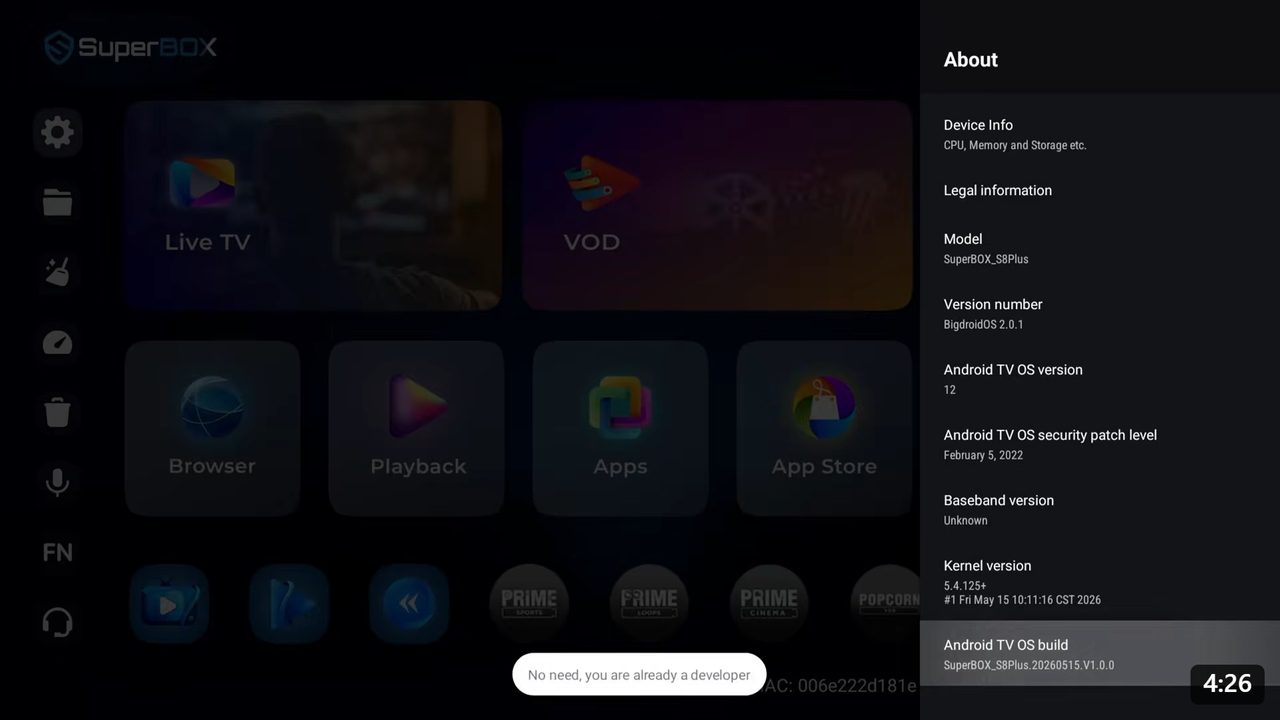
Next, let’s dig into the firmware. The About section shows Android TV OS version 12. Better yet, you get full access to developer options.
For display, you get auto HDR. You also get up to 10-bit color depth. Resolution goes up to 4K at 60Hz. In addition, there is surround sound passthrough. You also get HDMI-CEC and mouse pointer options.
There are plenty of languages too. Likewise, accessibility features are included. Unfortunately, text-to-speech did not work. On the other hand, Google Assistant is there and ready to use.
Hardware Specs, DRM and Root
To check the hardware, I used my TV Box Specs app. It lists the model as the S8 Plus. Also, the box is not rooted.
For DRM, it has Google Widevine Level 3. However, there is no HDCP protection. So, don’t expect HD from premium streaming apps.
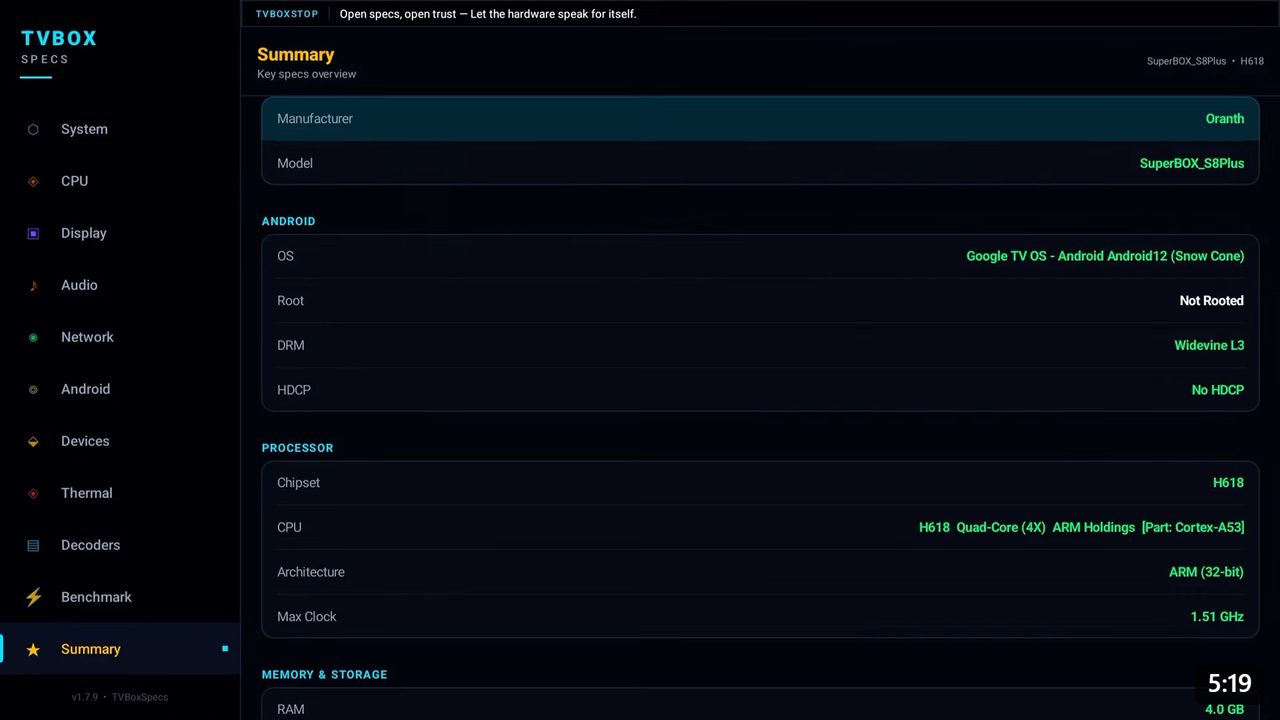
Now, the chipset. It is the Allwinner H618. This is a quad-core Cortex-A53 processor. It runs in 32-bit mode. Its max clock speed is 1.5GHz. Meanwhile, the GPU is a Mali-G31. It supports OpenGL ES 3.2 and Vulkan 1.1.
For memory, you get 4GB of DDR4 RAM. Storage is 64GB. As for wireless, there is a Wi-Fi 6 adapter. Oddly, the Bluetooth version could not be detected. At idle, the CPU sits at around 57°C (136°F).
4K HDR and Dolby Vision Playback
Next up, video playback. The box supports HDR10 and HLG. However, it lacks support for Dolby Vision and AV1. It also has no AISR or AIPQ processing.
So, how did playback go? HDR10 played fine. Similarly, HLG played correctly. HDR10+ fell back to HDR10. Meanwhile, Dolby Vision fell back to HLG. Worse still, Dolby Vision with Dolby Atmos produced no audio. Finally, AV1 would not play at all.

Also, YouTube did not work. Both the app store version and the Google Play version failed. That said, this may be an issue on Google’s side.
Surround Sound Audio
Now, let’s move to audio. There are no built-in hardware surround decoders. Instead, the box relies on passthrough.
Sadly, passthrough produced no surround formats at the hardware level. However, my media player decoded surround audio at the software level. As a result, I got Dolby Atmos, DTS-HD Master Audio and DTS:X.
Superbox S8 Plus Benchmarks
Gaming first. Simply put, this chipset is weak for Android games. Therefore, I skipped gaming tests and went straight to benchmarks.
RAM copy speed hit 2,930 MB/s. Storage read at 155 MB/s. Meanwhile, write speed reached 135 MB/s.
Next, networking. On a 500 Mbps line, 5GHz Wi-Fi averaged around 178 Mbps. In contrast, 2.4GHz averaged around 35 Mbps. The LAN port is gigabit. It peaked at around 480 Mbps.
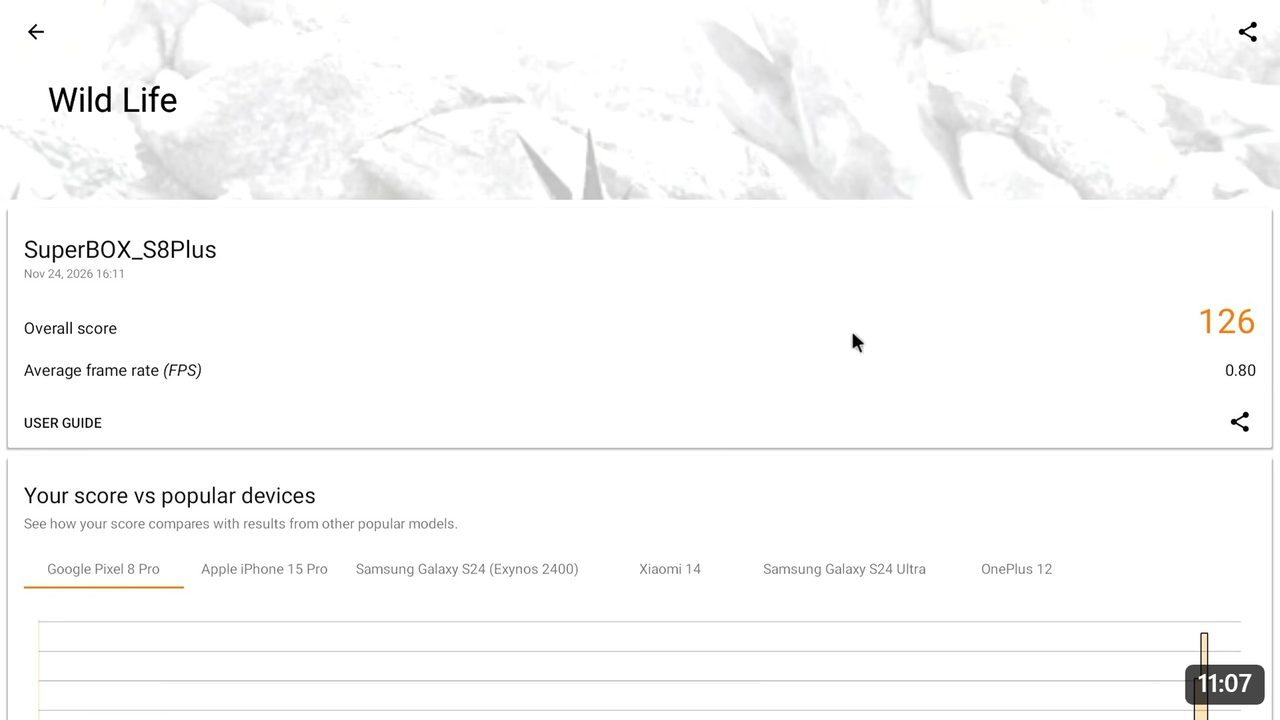
Then, the CPU. Geekbench 5 scored 113 single-core and 400 multi-core. For the GPU, 3DMark Wild Life scored 126. That is an average of just 0.80 FPS. Clearly, gaming is not its strength.
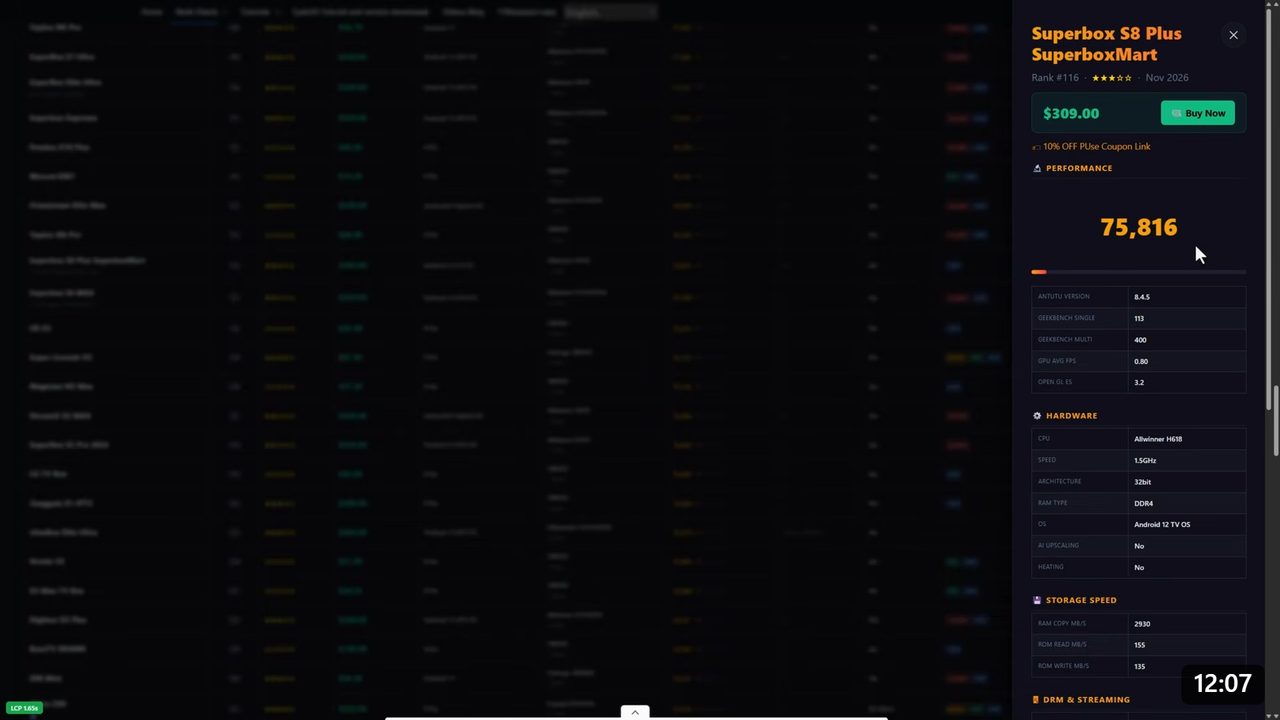
Lastly, AnTuTu. Version 8.4.5 is the highest that runs on this chipset. It scored 75,816.
Where Does It Rank?
On my Android TV box chart, the S8 Plus ranks at position 116. It earns a 3 out of 5 star rating. Keep in mind, this rating is based only on hardware. And, as usual, Allwinner chips tend to underperform. Still, with boxes like this, the service often outweighs the hardware.
Final Verdict: Is the Superbox S8 Plus Worth It?
Overall, Superbox has clearly listened to feedback. In fact, the service has improved. During testing, I saw no buffering worth complaining about.
That said, some issues remain. The alternative apps would not connect. YouTube also failed. Moreover, the hardware is still on the weak side. So, Superbox needs better chipsets going forward.
In the end, the Superbox S8 Plus is a step forward. The regular price is $379. Right now, however, you can get it for $303 with my 20% off Black Friday coupon link.
Disclosure: this is an affiliate link. When you buy through it, you support TV Box Stop at no extra cost to you.
Want this unit secondhand? Email me at tvboxstop@gmail.com. Also, join my early bird list to get offers before they go public.