Are you looking for a new streaming box with live TV capabilities? Today, we are taking an in-depth look at the Hyperbox H10 Ultra.
This device enters the market in a special category of streaming hardware. It boasts a huge 4GB of RAM and 128GB of internal storage. However, high storage numbers do not always tell the entire story.
Let us break down its design, software features, real-world benchmarks, and overall value.
Unboxing and Hardware Overview of the Hyperbox H10 Ultra
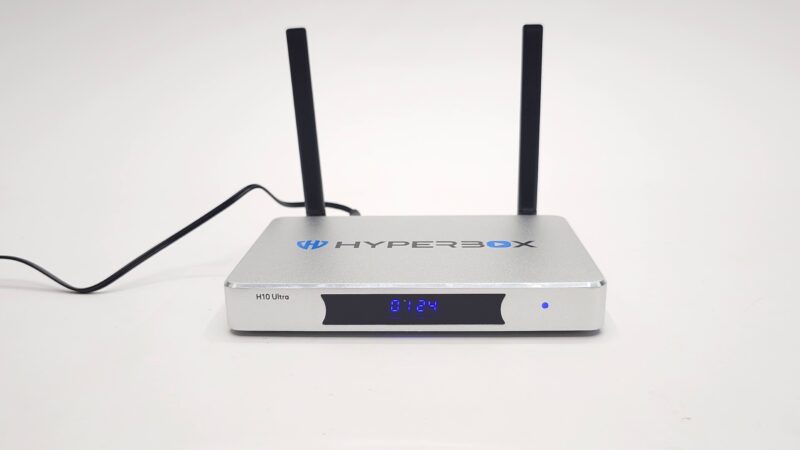
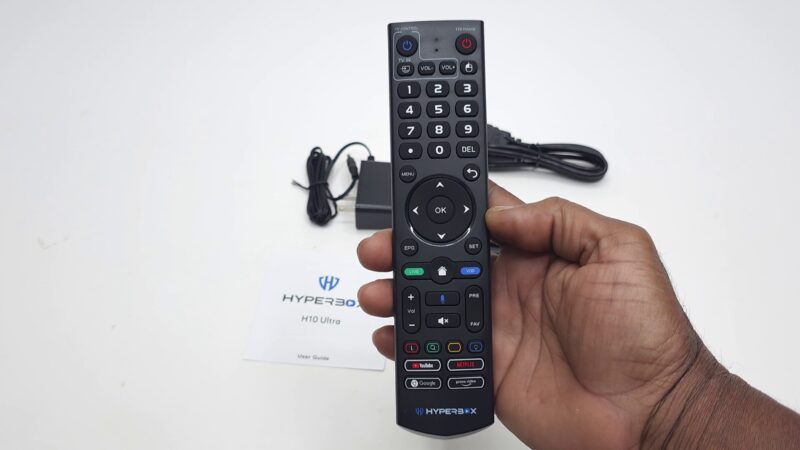
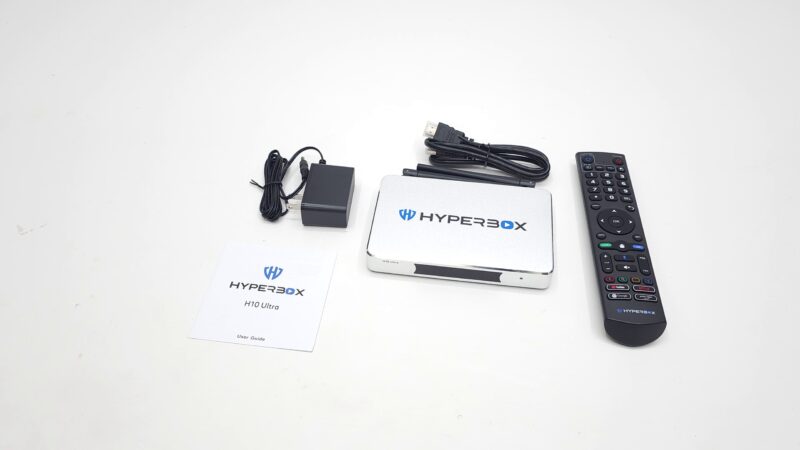
Inside the box, you receive the main media player. You also get a Bluetooth voice remote control. Furthermore, it comes with an HDMI cable, a 5V 2A power adapter, and a quick setup guide.
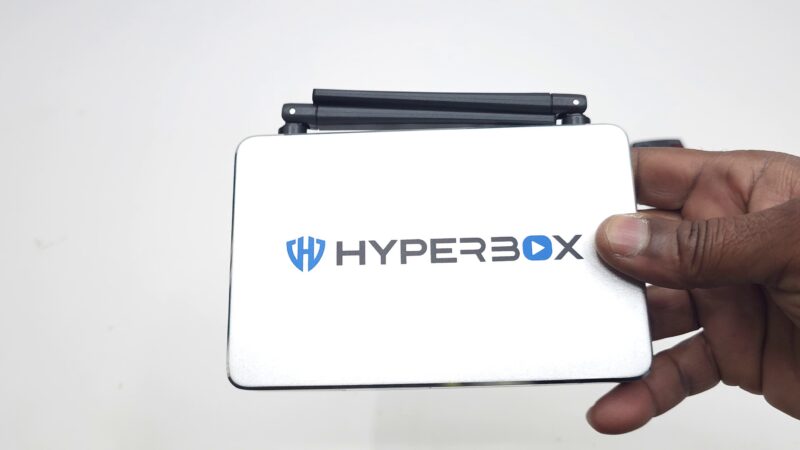
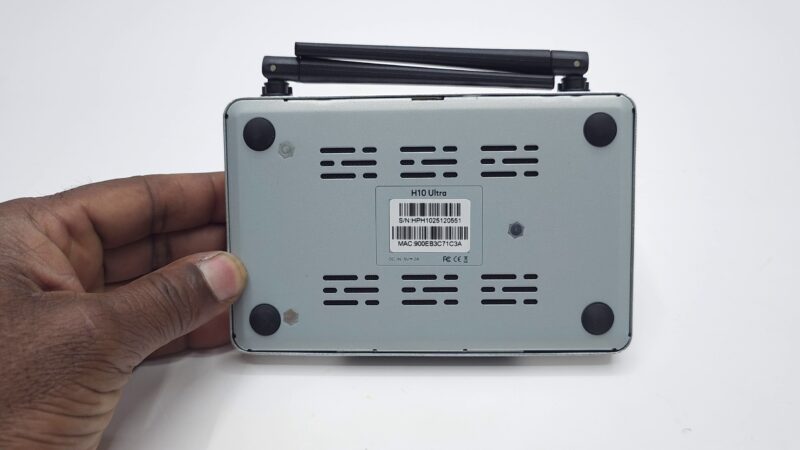
The physical design features a plastic upper casing paired with a solid metal base plate. On the front, you will find a clear digital LED display screen. The bottom contains four non-slip rubber feet alongside generous ventilation holes for heat dissipation.
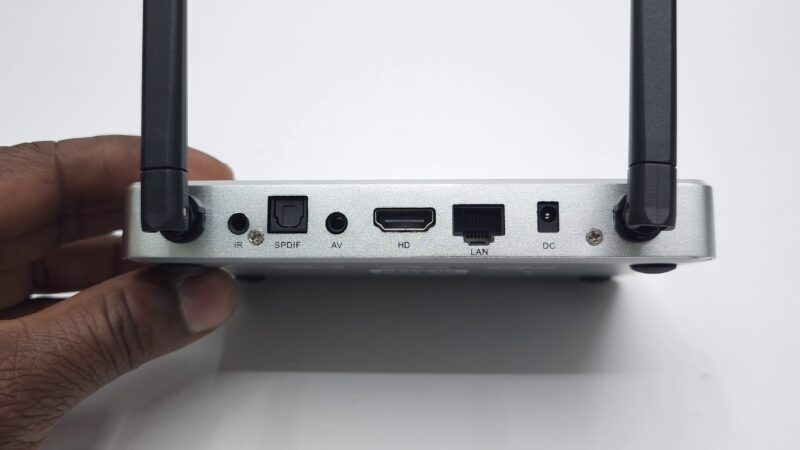
The physical connection ports include:
-
One HDMI 2.1 port
-
One Gigabit Ethernet LAN port
-
One Optical SPDIF audio port
-
One standard AV port
-
One IR extender jack
-
Dual-band Wi-Fi 6 external antennas
-
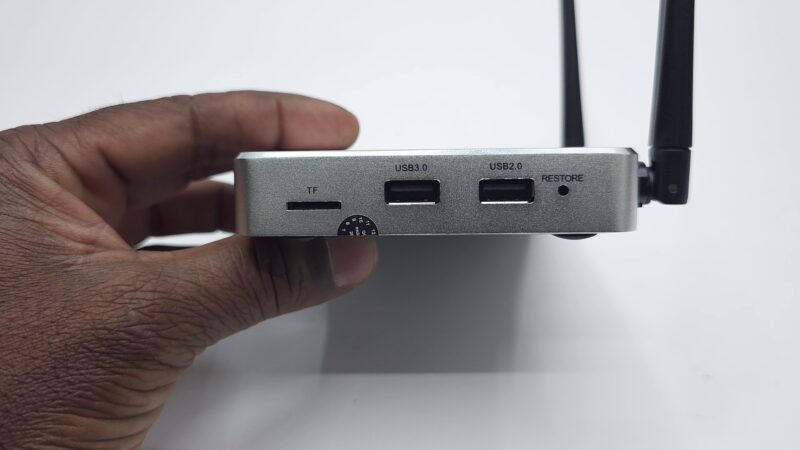
Two USB ports and a MicroSD card slot
Noticeably, the USB 3.0 port on the side is not color-coded blue. Speed testing reveals that both ports operate strictly at USB 2.0 speeds.
For high-speed local media delivery, you can check out official networking standards at the Wi-Fi Alliance.
Live TV, VOD, and Software Ecosystem on the Hyperbox H10 Ultra
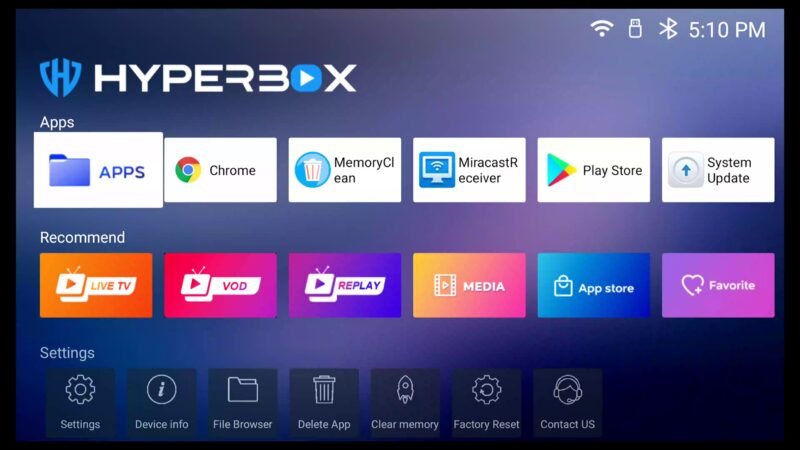
The system boots quickly into its custom launcher. The interface resembles a Grape-style launcher layout. The top row features a fresh, horizontal scrolling animation effect for quick navigation. Below that, you can customize favorite app shortcuts.
This box falls into a specialized category. Over 80% of its purchase price goes toward its built-in live streaming infrastructure.
The pre-installed apps run on dedicated HD servers:
-
Live TV App: Offers thousands of live channels across sports, news, entertainment, and local regional broadcasts.
-
VOD App: Gives access to thousands of movies and TV series across all genres.
-
Replay App: Provides up to 7 days of catch-up playback for up to 63 selected channels.
Additionally, the box includes a secondary APK App Store. Consequently, you can install supplementary streaming apps with ease.
System Specs and Performance Benchmarks of the Hyperbox H10 Ultra
To inspect the internal hardware, we used our custom TV Box Specs system app (v1.7.6).
The device runs on Android 12 TV OS. The core system relies on an Allwinner H618 quad-core Cortex-A53 processor clocked at 1.5 GHz. Graphics are powered by the ARM Mali-G31 GPU.
You can read more about ARM processor architectures directly at ARM Holdings.
===========================================================
HYPERBOX H10 ULTRA BENCHMARK SUMMARY
===========================================================
RAM Copy Speed          : 2,951 MB/s
Internal Storage Read   : 152 MB/s
Internal Storage Write  : 144 MB/s
USB 2.0 Port Speeds     : 25 MB/s Read / 32 MB/s Write
Wi-Fi 5GHz Band Speed   : 361 Mbps
Gigabit Ethernet Speed  : 500 Mbps (Max ISP cap)
Geekbench 5 CPU         : 102 Single-Core / 333 Multi-Core
3DMark Wild Life        : Score 124 (0.70 FPS)
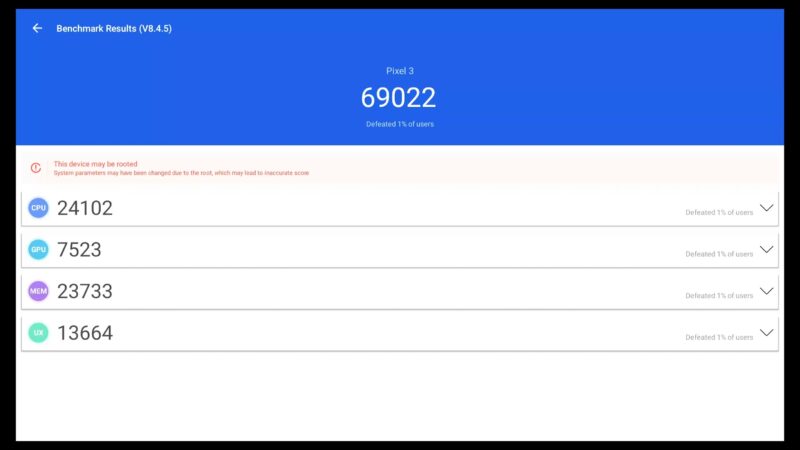
Antutu Benchmark v8.4.5 : 69,022
===========================================================
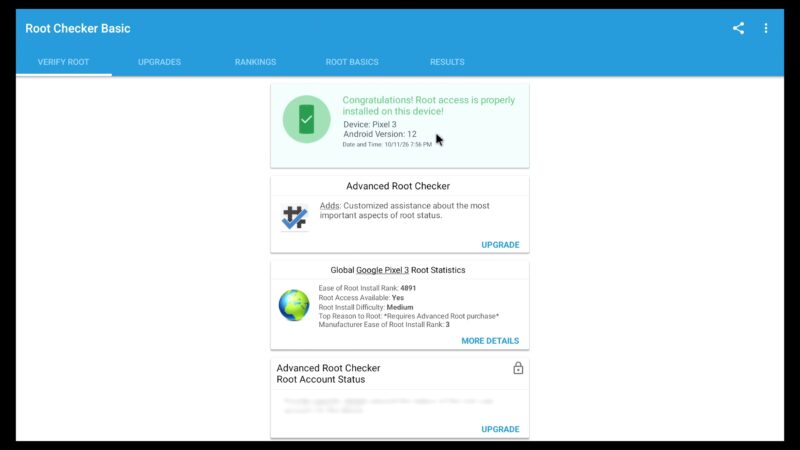
The system is pre-rooted out of the box. However, it only carries Google Widevine Level 3 security without HDCP protection.
Because it lacks official Google certification, major streaming apps like Netflix and Prime Video require sideloading. Furthermore, video playback on those certified platforms remains capped at basic 720p resolution.
Media Playback and Audio Limits on the Hyperbox H10 Ultra
Local video testing was performed using the TVBox Player app (v17). The Mali-G31 GPU handles HDR10 and HLG color formats effectively.
However, hardware limitations are evident elsewhere:
-
AV1 Codec: Not supported natively.
-
Dolby Vision & HDR10+: Not supported natively.
-
YouTube App: Plays up to 1440p smoothly; 4K 2160p triggers playback errors.
-
Surround Sound Audio: Fails to passthrough 5.1 or 7.1 surround sound audio, defaulting to 2-channel stereo.
Thermal management remains stable. The unit idles at a safe operating temperature of roughly 52°C (125°F).

Final Verdict: Is the Hyperbox H10 Ultra Worth It?
On our comprehensive TV Box Stop chart, the box ranks at position #150 with a 2 out of 5-star rating. This score directly reflects the performance limitations of the Allwinner H618 chipset.
Therefore, your buying decision depends on your main goals:
-
Buy it if: You primarily want an all-in-one live TV, VOD, and catch-up sports box with hassle-free streaming apps.
-
Avoid it if: You want a high-performance gaming unit, official 4K Netflix certification, or full home-theater Dolby surround sound passthrough.
💬 What Do You Think?
Will you be picking up this streaming box for its live content, or do you prefer higher-performing benchmark hardware? Let us know in the comments below!