The home lab space has a new contender called the ZimaBoard 2. And it is one of the most versatile devices released in 2026. The ZimaBoard 2 is an x86 single board computer built by ZimaSpace. It is compact, powerful, and surprisingly flexible. Whether you want a personal NAS server, a local AI machine, or a platform for running alternative operating systems, this device covers all the bases.
This review takes a different approach. Rather than focusing purely on the NAS functionality, we tested the ZimaBoard 2 specifically as an alternative OS and Android streaming platform. The results were impressive.
What Is the ZimaBoard 2?
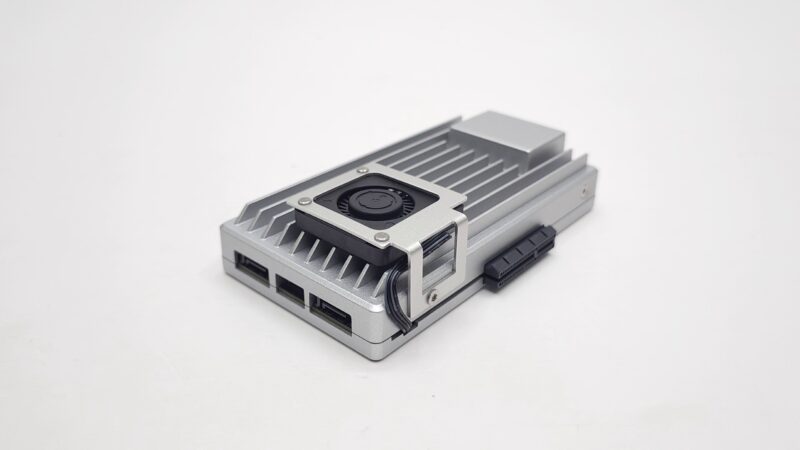
The ZimaBoard 2 is an x86 single board computer with a unique set of capabilities. It runs on an Intel N150 quad-core processor. Furthermore, it packs 16GB of LPDDR5 RAM and comes pre-installed with ZimaOS. That said, it is far more than just a NAS box.
What sets it apart is its PCIe 3.0 expansion slot. This alone opens the door to GPU docking, network cards, and NVMe adapters. Additionally, the dual 2.5Gb Ethernet ports and dual SATA connectors make it exceptionally well-equipped for its size.
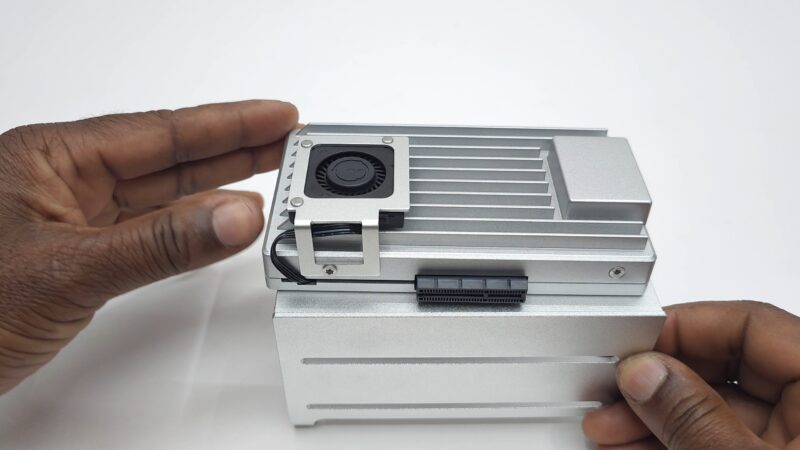
ZimaBoard 2 Design and Build Quality
The body is made of aluminium. It doubles as a large passive heat sink, which adds to the overall weight. However, that trade-off works in your favour. The device runs cool and silent.
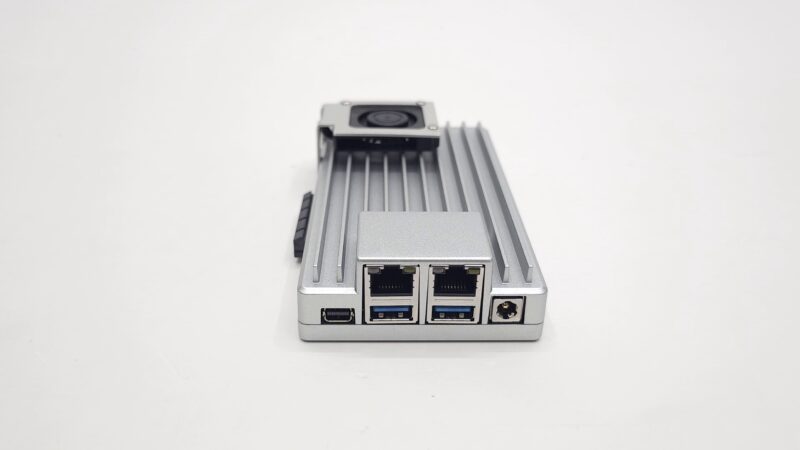
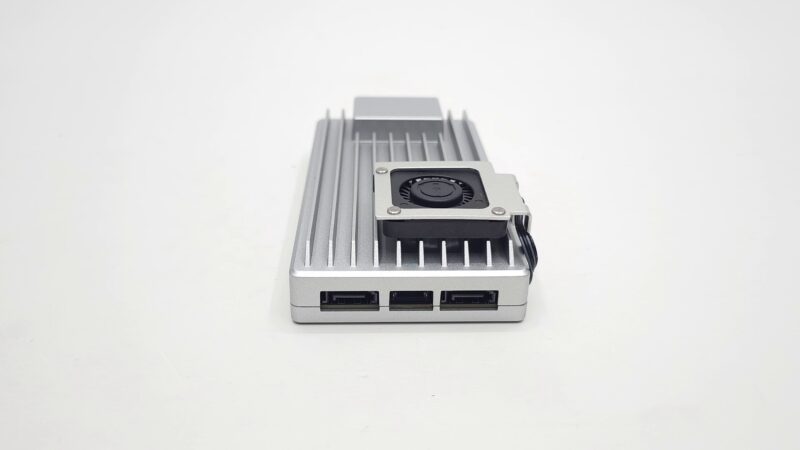
At one end, you get a Mini DisplayPort, dual 2.5Gb LAN ports, two USB 3.2 ports, and a 12V barrel DC input. On the opposite end sit two SATA connectors and a SATA power delivery jack. To one side is the PCIe X4 expansion slot. Everything is logically placed and accessible.
Notably, the ZimaBoard 2 does not have a power button. You plug it in and it boots. Shutdown must be handled from within the operating system. This is worth keeping in mind for your setup.
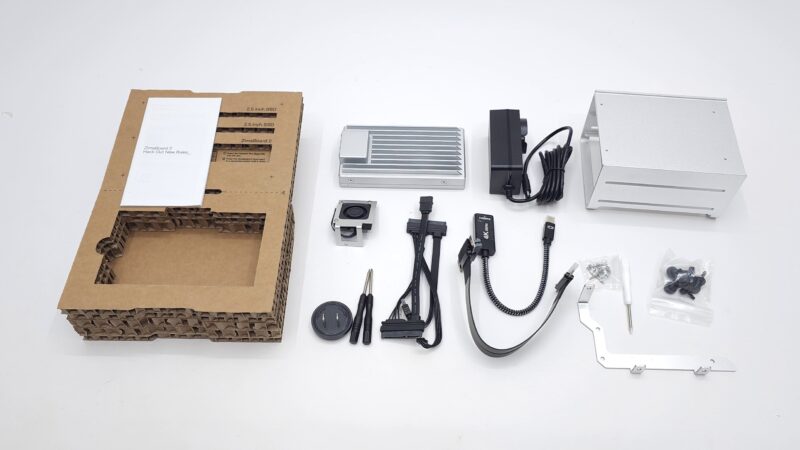
The kit also includes a mounting rack system. It comes with a PCIe extension cable, brackets for securing PCIe devices, screwdrivers, and two packs of screws. As a bonus, the original packaging box cleverly doubles as a display stand.
ZimaOS: A Personal Cloud OS Worth Taking Seriously
ZimaOS is the operating system pre-installed on the ZimaBoard 2. It was developed by the team at IceWhale Technology. And it is genuinely well thought out.
It evolved from CasaOS. However, it goes significantly further. ZimaOS is a full bare-metal operating system with native RAID management, OTA updates, and built-in remote access. Moreover, it has already surpassed one million downloads. An active community of over 43,000 members actively shapes its development.
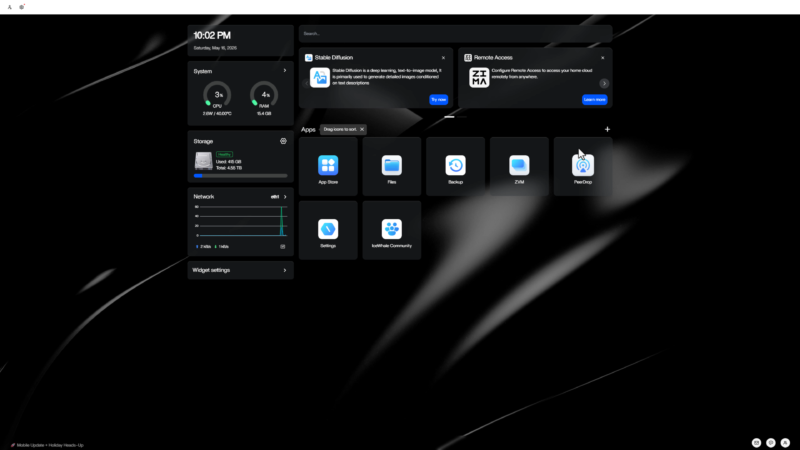
The dashboard is clean and intentionally minimal. System resources, storage status, and installed apps are all visible at a glance. There is no hunting through nested menus.
Storage and Backup Done Right
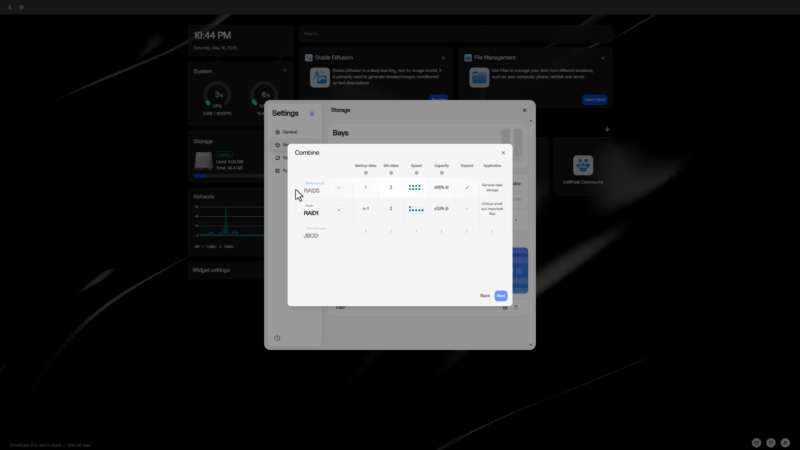
ZimaOS supports RAID 0, 1, 5, 6, and JBOD, all configurable through a graphical interface. No command line required. For those who want deeper control, ZFS and custom configurations are also supported.
For backup, ZimaOS implements the 3-2-1 strategy. You can back up from cloud, USB, LAN, or internal storage. Notably, you can run a single source to dual destinations simultaneously. All progress and sync history is visible from one unified view.
Remote Access Without the Headaches
Traditional NAS remote access involves port forwarding, DDNS, and reverse proxies. That is a deep rabbit hole. ZimaOS eliminates all of that.
The companion Zima Client app — available on Windows, macOS, Android, and iOS — creates a secure peer-to-peer connection automatically. There is no cloud relay. The connection is encrypted end-to-end. Your data never touches a third-party server, even when you access it from a hotel or coffee shop. Furthermore, your identity is generated 100% locally. No email. No phone number. No external account required.
App Ecosystem
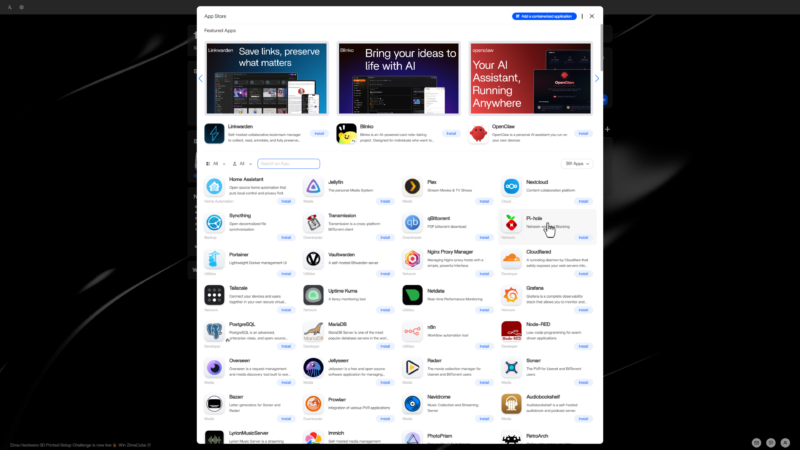
The ZimaOS app store offers over 800 applications. Categories include media servers, photo management, ad blockers, download managers, home automation, and git servers. Installation is one click. Port mapping and path configuration are handled automatically.
Notable one-click installs include Jellyfin, Plex, Immich, Nextcloud, Home Assistant, and Photoprism. It is essentially a self-hosted replacement for most subscription services you currently pay for.
Full Docker support is also included. You can deploy any container, bring in third-party app stores, or build your own. Additionally, ZimaOS includes ZVM, a built-in virtual machine manager. It provides one-click installation of Windows or popular Linux distributions, with support for custom images.
Running Windows 11 on the ZimaBoard 2
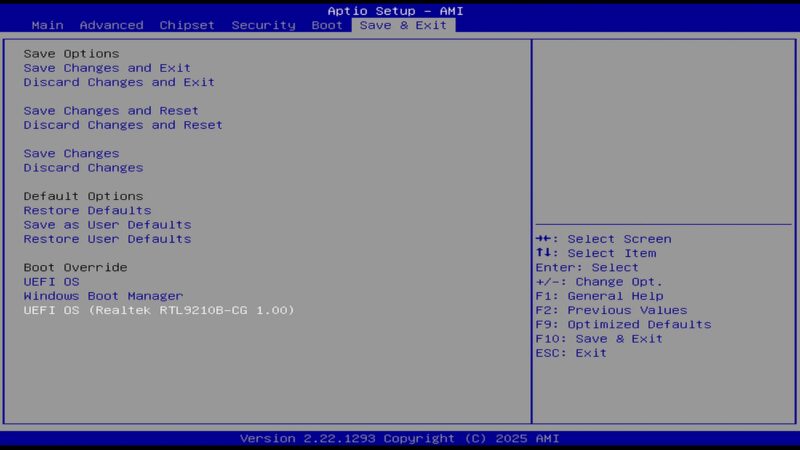
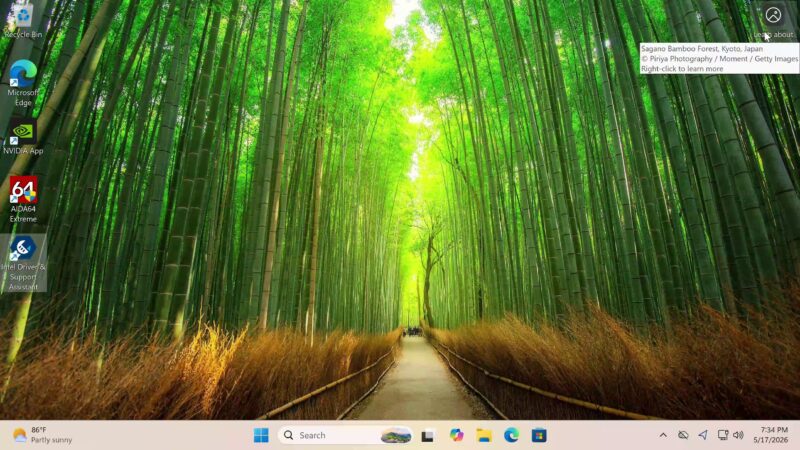
Because the ZimaBoard 2 uses x86 hardware and has a standard BIOS, installing Windows 11 is straightforward. The process is no different from a desktop or mini PC install.
There are a few things to note. First, the device has no built-in Wi-Fi, so a USB Wi-Fi adapter is necessary. Second, you are limited to two USB ports, so a USB hub is recommended. Third, you will need to install the Intel Driver Assistant to get display, audio, and network drivers fully working.
Under AIDA64 Extreme, the CPU boosts to 2.9GHz. You have 16GB of LPDDR5 RAM, Intel UHD graphics, and full audio and Wi-Fi functionality once drivers are installed.
FydeOS and Android on ZimaBoard 2
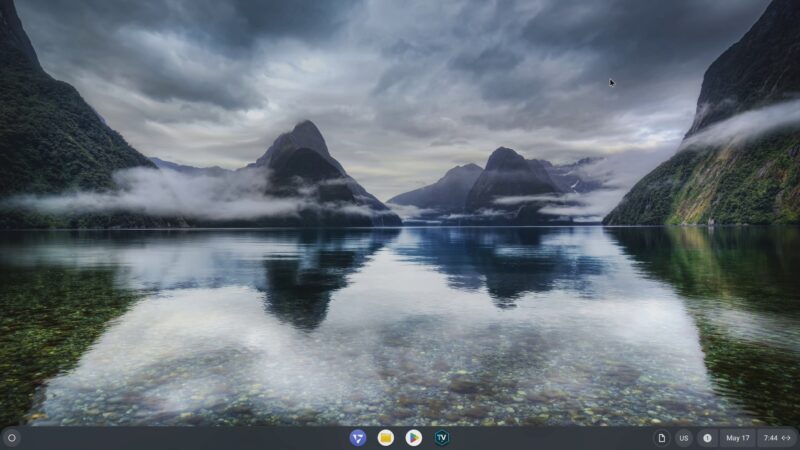
If you want a Chrome OS experience with an Android subsystem, FydeOS Slim for Intel non-core CPUs works well on the ZimaBoard 2. The installation process mirrors a standard Windows install. Just avoid installing it on the board’s internal eMMC storage. Use one of the SATA-connected drives instead.
FydeOS delivers a fully functional Chrome OS interface. Additionally, the Android 11 container works well. You can install apps from the Google Play Store and sideload APKs directly. Under TVBox Specs, the device showed an Intel N150 CPU running at 2.6GHz in 64-bit mode, 16GB RAM, Intel Mesa graphics, and Vulkan 1.1 support.
The massive heat sink keeps the chipset idling at around 32°C. That is exceptionally cool for sustained workloads.
The Best Android Experience: Ubuntu + Waydroid
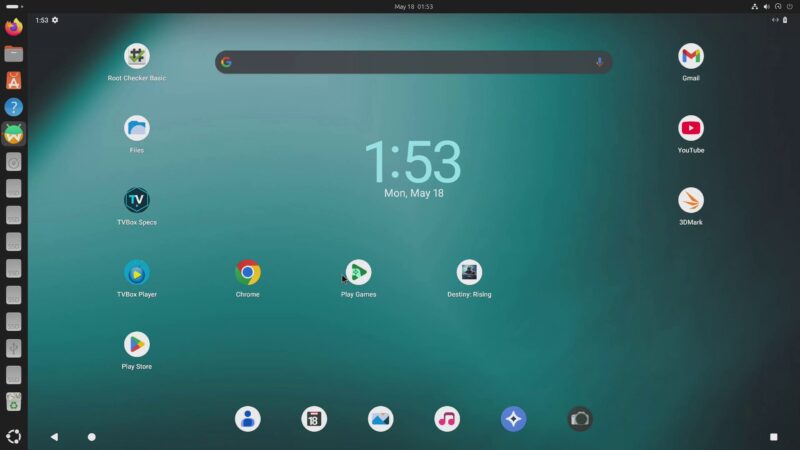
For those who want the most complete Android container experience, the best option is Ubuntu Desktop GNOME with Waydroid. This combination is by far the most capable Android x86 environment available today. It is, in fact, one of the main reasons Android x86 development has slowed — Waydroid has simply become the superior approach.
On the ZimaBoard 2, Waydroid with Magisk root access and Google Play Services delivers a full Android 13 mobile experience. Installation is not trivial. However, an automated script built with AI tools handles the entire setup. It installs Waydroid, grants root access, and sets up the Google Play Store and Play Services on top of Ubuntu in one execution. The result is a fully capable Android environment with no compromise.
Final Verdict
The ZimaBoard 2 is a genuinely impressive device. There are only two missing features worth mentioning: a larger PCIe bracket to support bigger graphics cards, and a physical power button. Both are minor in the broader context.
Otherwise, the ZimaBoard 2 delivers across the board. It is a capable NAS server, a personal cloud platform, a Windows and Chrome OS machine, an AI computing node, and an Android streaming and gaming device — all in one compact unit.
If you are a homelab enthusiast, the ZimaBoard 2 belongs in your setup. You can purchase the ZimaBoard 2 directly from the ZimaSpace online store, and access ZimaOS directly from the ZimaSpace website.
Stay connected and see you in the next one.