Introduction to the VSeeBox a1 Streaming Unit
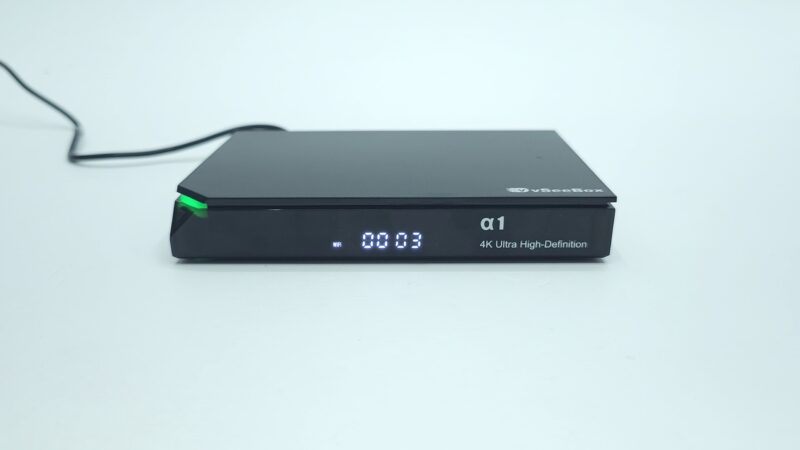
Welcome back to the channel. Today, we review a brand-new media player. Specifically, we are testing the vSeeBox a1. The market for streaming hardware is growing fast. Currently, vSeeBox is a major leader in this industry. They specialize in live TV and video-on-demand services. However, the streaming market is shifting rapidly. Many users do not want complex features anymore. For eleven years, we have analyzed media boxes. Consequently, we noticed a major trend among daily users. Most consumers want simplicity. They want fast performance right away. Therefore, vSeeBox built a brand-new model for this exact market.
Why the VSeeBox a1 Abandons Traditional Android Features
Recently, a comprehensive user survey was completed. Interestingly, over ninety percent of users ignore advanced features. First, they do not care about Android mobile gaming. Second, they ignore raw hardware benchmark scores. Third, they do not need root access. Furthermore, they skip Google Widevine checks and manual APK sideloading. Instead, people want a box that works instantly. They desire smooth streaming with zero buffering. Additionally, home theater fans want 4K HDR playback and surround sound support. As a result, vSeeBox designed a dedicated device. The product is named the VSeeBox a1. Crucially, this unit performs one single job. It streams high-quality content without any delay.
Unboxing the VSeeBox a1 Media Player
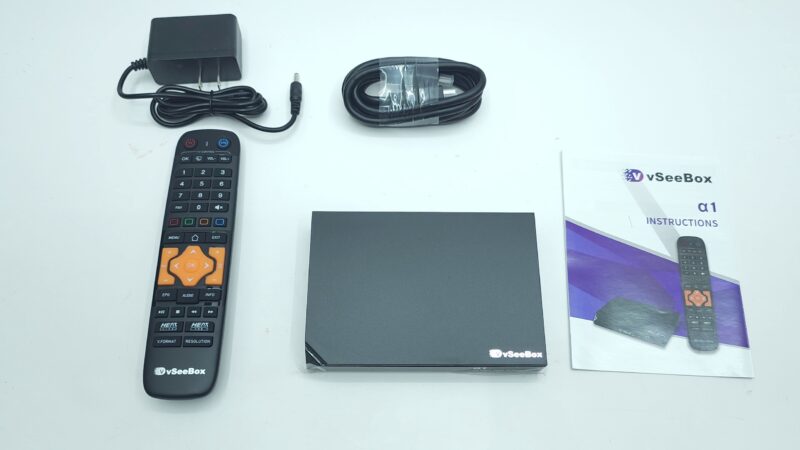
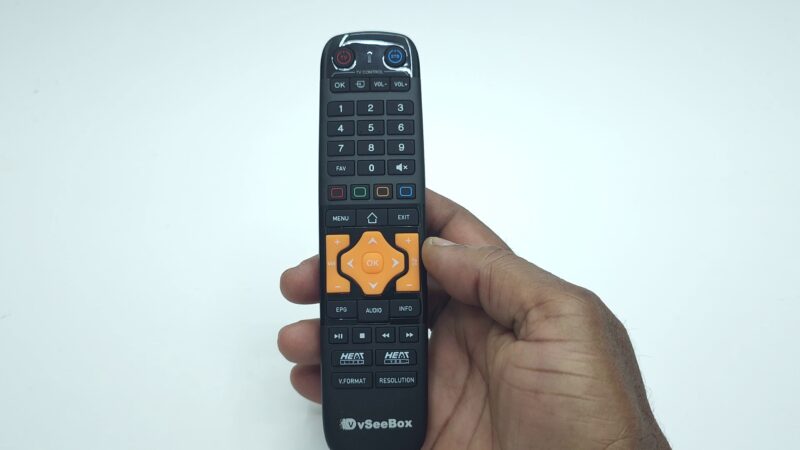
First, let us examine the overall box contents. Inside the package, you receive the main VSeeBox a1 hardware unit. Additionally, you get one basic infrared remote control. Next, the package includes a standard HDMI cable. Furthermore, you receive a 5V 2A power adapter. Finally, a basic user manual is included. In short, the package provides everything needed for instant setup. Consequently, installation takes only a few minutes.
Hardware Design and Port Layout of the VSeeBox a1
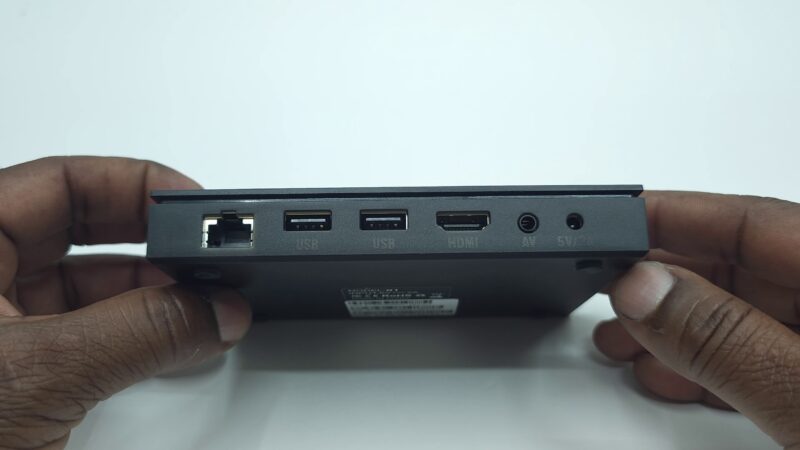
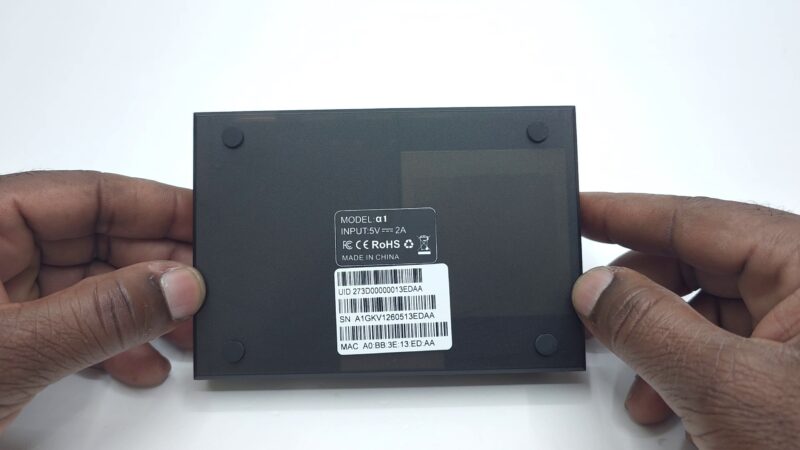
Now, let us examine the outer physical build. The casing consists of a sturdy plastic outer shell. Furthermore, the front display features a bright LED status panel. Next, all major connectivity ports are located on the rear side. First, you get a single HDMI output port. Second, the unit provides two USB 2.0 connection ports. Third, an Ethernet LAN port ensures stable wired network access. Fourth, an old-school AV port is available for legacy video setups. Finally, a dedicated DC power socket is positioned on the end. At the base, four rubber feet hold the box steady. However, there are no bottom ventilation slots on this model.
Exploring the Operating System on the VSeeBox a1
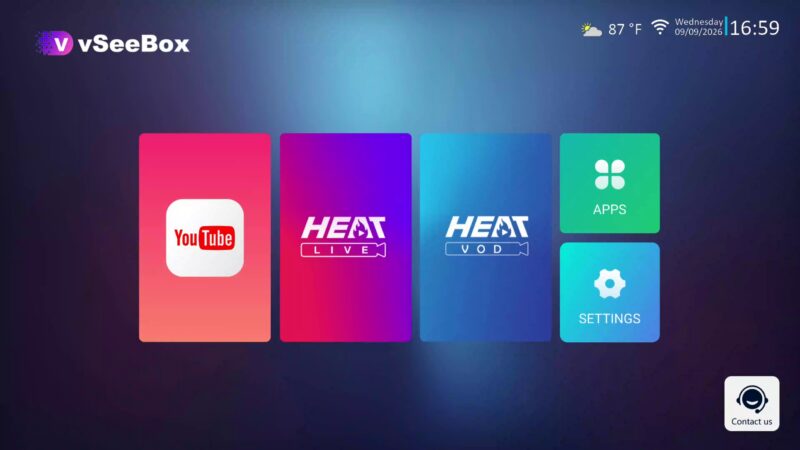
Surprisingly, this new box does not run on traditional Android software. Instead, it operates on a custom Linux system. Initially, turning on the box triggers a custom splash logo. Next, a basic setup wizard guides your initial configuration. Afterwards, you arrive directly at the main home launcher. The home screen layout is clean and minimal. However, this is not a standard Android interface. First, there is no top status bar or bottom navigation bar. Second, mouse cursor navigation is entirely disabled. Plugged-in PC mice will not work here. Furthermore, the remote control lacks a mouse pointer mode. The top area displays date and weather widgets. Additionally, a QR code provides instant access to customer support. Ultimately, navigation is restricted to a few select application shortcuts.
Software Limitations and Application Options on the VSeeBox a1
Next, let us open the main application menu. Surprisingly, you will find only four pre-installed apps. First, a standard YouTube player is included. Second, you get a simple built-in file browser. Third, a basic weather widget is accessible. Fourth, an Ookla Speedtest app helps monitor connection speeds. Importantly, there is no app store available. Furthermore, you cannot sideload external third-party APK files. Consequently, hardcore Android fans might consider this a major limitation. However, regular users will appreciate the simplified streaming system. Moreover, the interface remains fast and totally uncluttered.
Audio and Video Configuration Options in the VSeeBox a1 Menu
Let us dive deep into the system settings. First, language settings support various global options. Next, OSD options control pop-up notifications during video playback. Under audio and video, maximum resolution reaches 4K at 60 Hz. Additionally, auto framerate switching is included in the settings menu. You can also adjust TV aspect ratios between 4:3 and 16:9 formats. However, changing aspect ratio modes produced no visual effect during testing. Likewise, conversion options showed no noticeable differences. Digital audio output options include PCM and Bitstream modes. Furthermore, a channel change freezing toggle is present. Standard picture controls allow custom brightness, contrast, and saturation adjustments. Finally, HDMI color depth supports 8-bit to 12-bit output. High dynamic range modes include SDR, Auto, Dolby Vision, HDR10, and HLG. Setting HDR to Auto remains the optimal choice.
Network State and System Tools on the VSeeBox a1
The secondary settings menu contains useful maintenance utilities. First, the network state tab displays detailed Ethernet parameters. Second, wireless setups are managed via the dedicated Wi-Fi menu. Additionally, built-in speed test utilities measure connection bandwidth accurately. Time settings adjust date parameters automatically. Remote hotkeys can be customized for quicker navigation. Furthermore, users can control front LED display lighting behavior. System tools allow over-the-air firmware upgrades and factory resets. However, system information screens display very few hardware details.
Streaming Performance and Live Applications on the VSeeBox a1
Now, let us discuss core video streaming performance. The VSeeBox a1 relies on two primary built-in apps. These applications are Heat Live and Heat VOD. Together, they offer smooth live television and movie streaming. Most importantly, playback features zero buffering during daily use. Specifically, Heat Live offers over 1,900 live channels across the US and local regions. Additionally, international channels from Canada, Latin America, and the UK are included. Major news channels, pay-per-view events, and sports networks function in HD quality. An integrated EPG TV guide provides accurate program schedules. For movies and shows, Heat VOD provides over 48,000 film titles in 1080p resolution. Furthermore, over 16,000 TV series are readily available for instant viewing.
Local Media Playback Capabilities of the VSeeBox a1
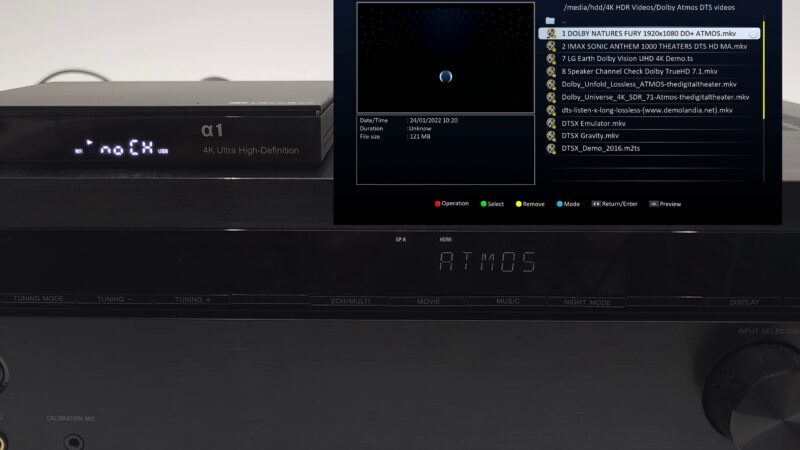
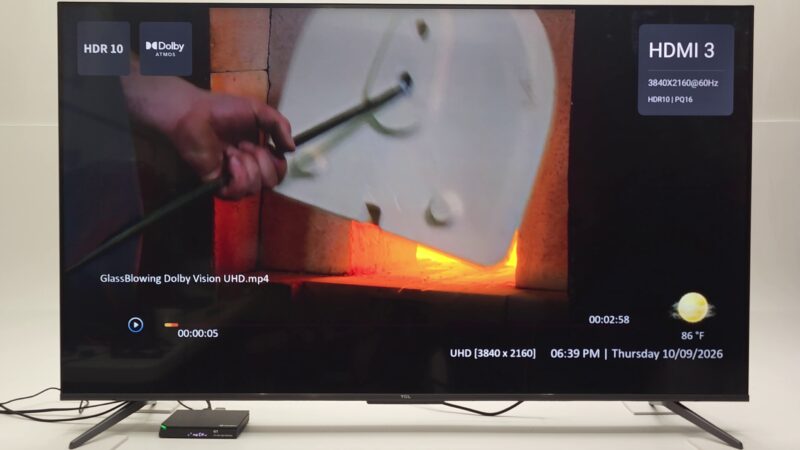
Next, we tested local media playback using external drives. Since Android apps cannot be installed, you must rely on the internal media player. During playback tests, HDR10 and HLG video streams worked smoothly. However, Dolby Vision, AV1, and HDR10 Plus are not natively supported. Dolby Vision files automatically fall back to HLG display modes. YouTube playback supports up to 4K 60 Hz output. However, forcing 4K mode occasionally causes visual freezing. Therefore, set YouTube playback to 1080p resolution for optimal stability.
Advanced Surround Sound Audio Support on the VSeeBox a1
Fortunately, audio performance on this device is excellent. The VSeeBox a1 successfully passes all major surround sound formats. During testing, Dolby Atmos played perfectly. Additionally, Dolby Digital Plus and Dolby Surround executed smoothly. Lossless formats like Dolby TrueHD worked without issue. Furthermore, DTS-HD Master Audio and DTS:X decoded properly. Even specialized M2TS media files played back with full surround sound pass-through.
Final Verdict on the VSeeBox a1 Media Player
In conclusion, the VSeeBox a1 is built for a specific audience. It removes unnecessary Android features entirely. Instead, it focuses purely on reliable, zero-buffer streaming. The custom Linux operating system is basic, fast, and user-friendly. While you lose app customization and sideloading, you gain unmatched simplicity. If you want a reliable box dedicated entirely to live television and high-definition video-on-demand, the VSeeBox a1 is an outstanding option for your living room setup.
How do I buy one from you
Unfortunately I only had one piece and it’s already sold. What I will do is that I will add your email to my insiders email list so that you receive early alerts before the general viewership on YouTube so you can take advantage of early notifications.