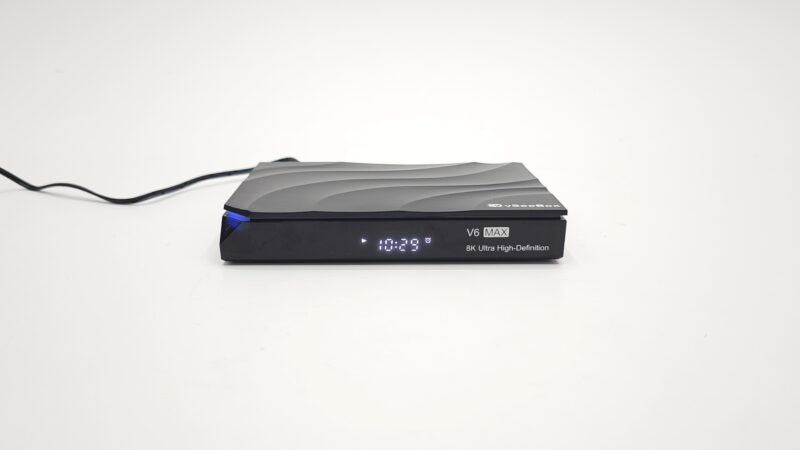
Today, we’re diving deep into the vSeeBox V6 Max, the brand’s latest premium offering. This comprehensive review covers everything you need to know about this entertainment device.
Available Here $50 OFF – vSeeBox V6 Max
$50 OFF COUPON: JOHNS50
What’s Included with the vSeeBox V6 Max
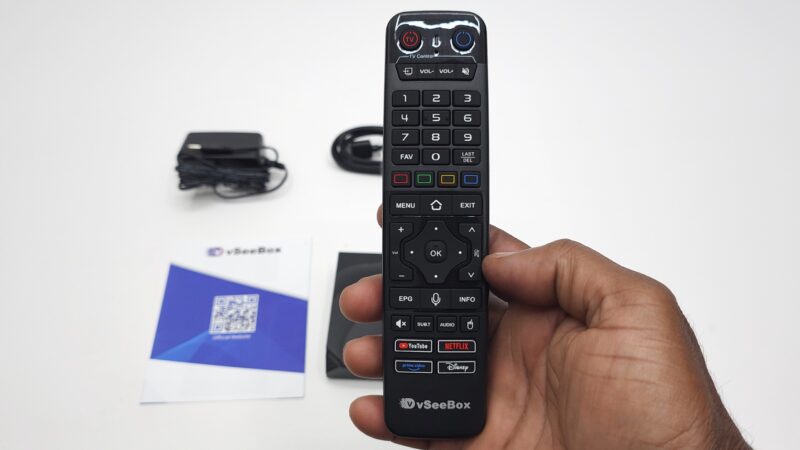
Right out of the box, you’ll find everything needed to get started. First, there’s the V6 Max unit itself with its sleek design. Additionally, you receive a Bluetooth voice remote featuring convenient backlit keys. Moreover, the package includes a standard HDMI cable for quick setup.

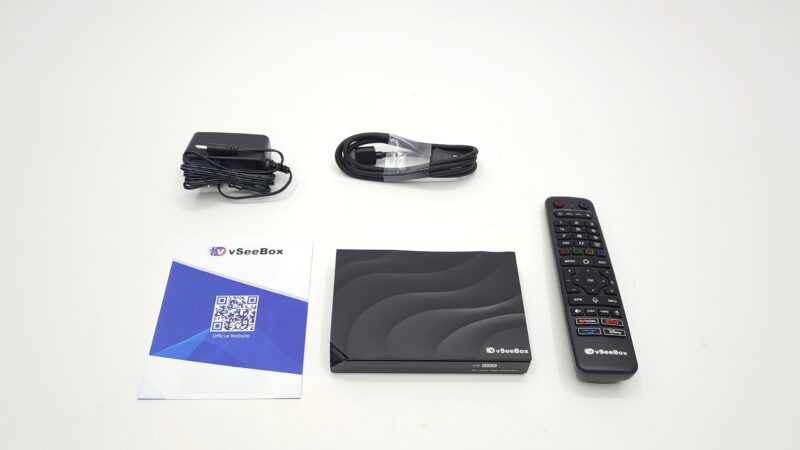
Furthermore, vSeeBox provides a 5V 2A DC power supply. Finally, a detailed user manual helps guide you through initial configuration. Overall, the unboxing experience feels premium and well-thought-out.
Design and Build Quality
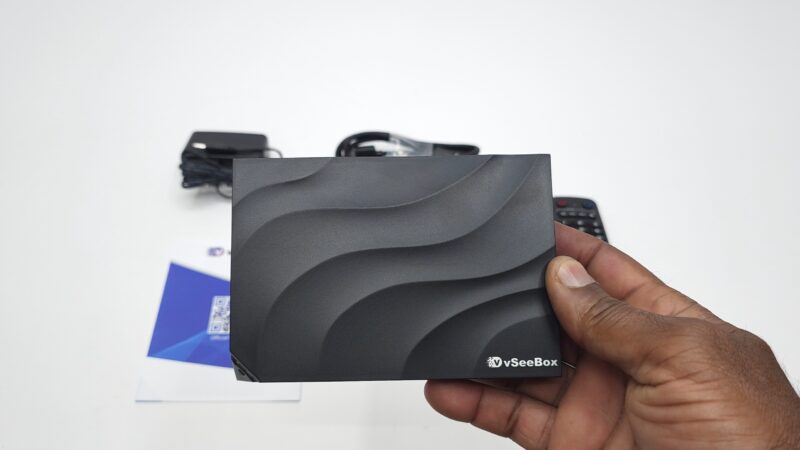
The vSeeBox V6 Max features a plastic outer shell construction. Notably, the vSeeBox branding sits prominently on top. Meanwhile, the design prioritizes functionality over flashy aesthetics.
At the front, you’ll notice an LED display alongside a power indicator light. Additionally, four rubber feet provide stable placement. However, there are no ventilation holes underneath the unit.
vSeeBox V6 Max Port Selection and Connectivity
All ports are conveniently located at the rear panel. Specifically, you get one HDMI 2.1 port for modern displays. Furthermore, there’s one Ethernet LAN port for wired connections.
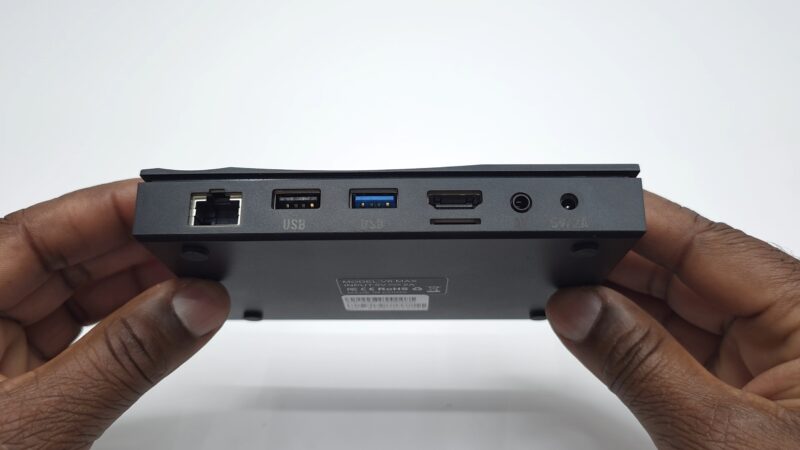
Additionally, the device includes one USB 3.0 port and one USB 2.0 port. Moreover, an AV port and SD card reader expand your options. Finally, the DC input socket completes the rear panel configuration.
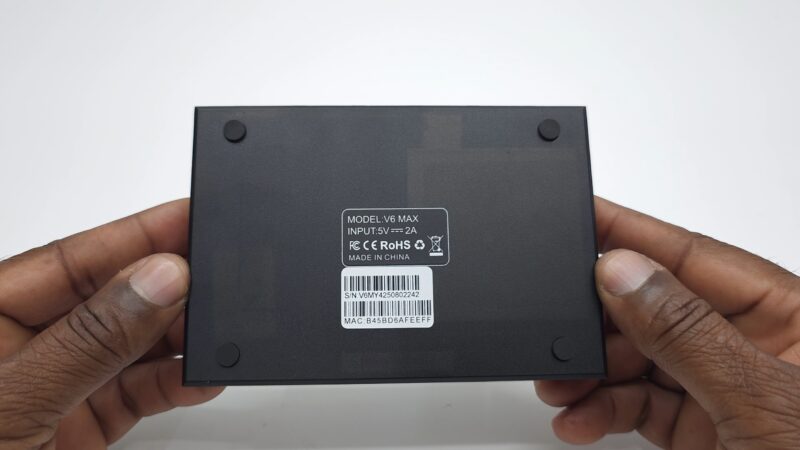
First Startup Experience
The initial setup process is straightforward and user-friendly. Initially, you’re greeted with the vSeeBox animation. Subsequently, a helpful startup wizard guides you through pairing the Bluetooth remote. Finally, you reach the main launcher interface.
Understanding the Grape Launcher Interface
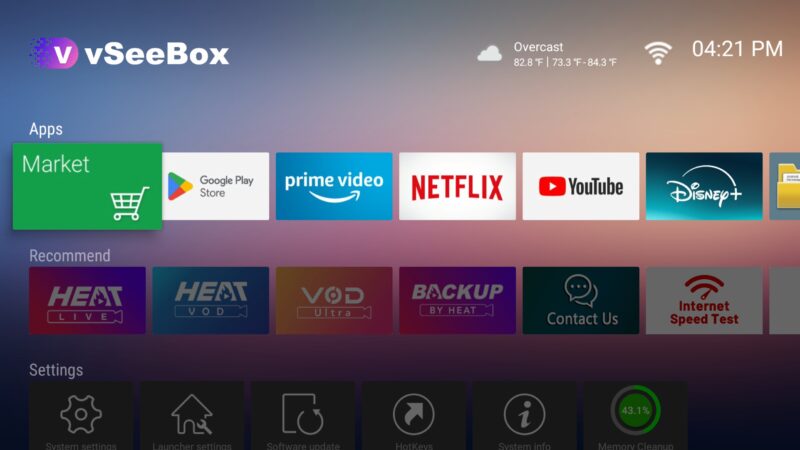
The vSeeBox V6 Max uses the Grape launcher system. This interface features horizontal scrolling panels for apps. Additionally, there’s a system shortcuts bar positioned at the bottom.
Importantly, this launcher runs on Android TV OS. Consequently, it lacks a traditional navigation bar. Similarly, you won’t find a full status bar with system controls.
vSeeBox V6 Max Operating System Details
Under the hood, the device runs Android 14 TV OS. However, users cannot access developer options. Nevertheless, the system provides solid performance for everyday entertainment needs.
vSeeBox V6 Max Hardware Specifications
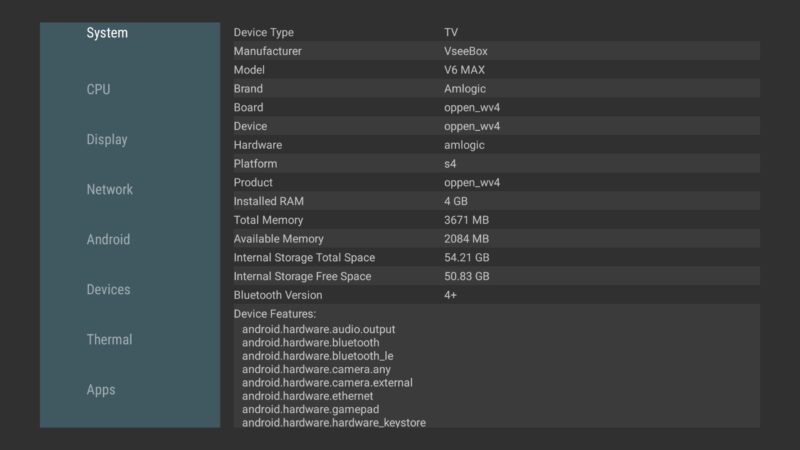
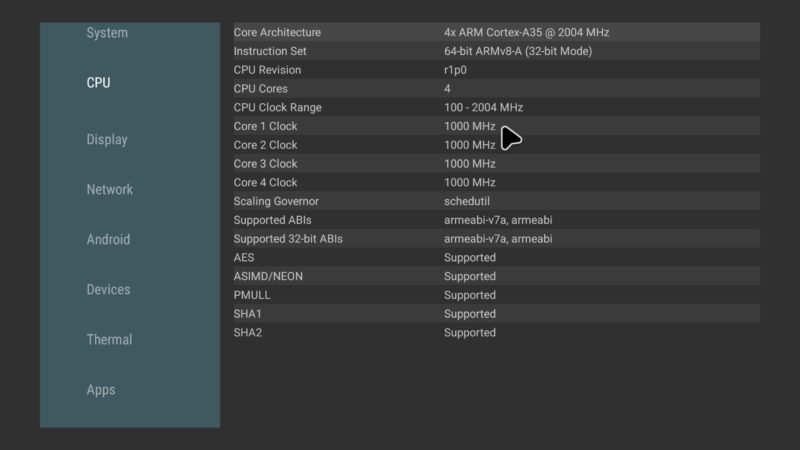
The manufacturer chose Amlogic for the chipset. Specifically, the device features 4GB of DDR4 RAM. Additionally, there’s 64GB of internal storage included. Moreover, Bluetooth 5.0 ensures reliable wireless connectivity.
The CPU is the Amlogic S905Y4 model. This quad-core Cortex A35 processor runs at 2.0GHz. However, it operates in 32-bit mode configuration.
Graphics and Display Processing
Graphics processing comes from the Mali G31 GPU. Furthermore, it supports OpenGL ES version 3.2. Additionally, Vulkan API version 1.1 is available for enhanced graphics.
The network adapter provides dual-band connectivity. Specifically, both 2.4GHz and 5GHz Wi-Fi bands work reliably. Therefore, streaming remains smooth and consistent.
Video Decoding Capabilities
For video playback, the device handles multiple formats excellently. Specifically, HEVC, AV1, and VP9 decoding ensure 4K HDR compatibility. Additionally, Dolby Atmos EAC3 and DTS HD enhance audio quality.
Importantly, the temperature sensor has been disabled. Nevertheless, the device maintains stable performance during extended use.
HDMI and Audio Options
HDMI CEC options provide convenient device control. Meanwhile, the audio system impresses with Dolby and DTS support. Specifically, when connected to compatible equipment, Dolby Atmos and DTS HD become available.
These enhanced audio options activate automatically with surround sound systems. Therefore, your home theater experience benefits significantly.
Digital Rights Management Features
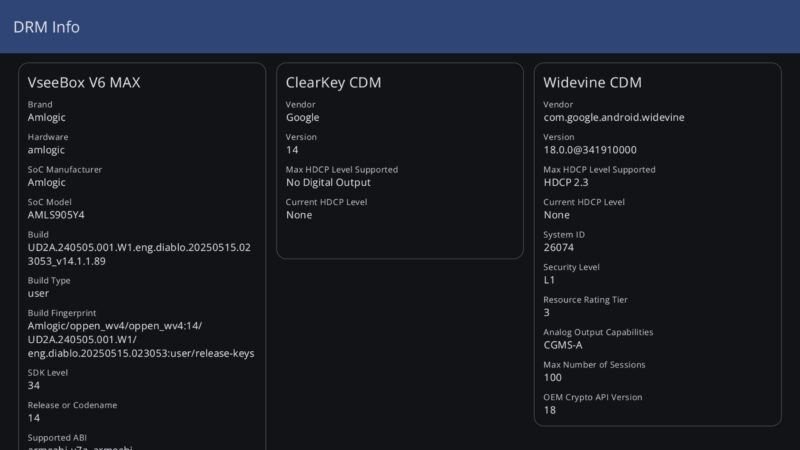
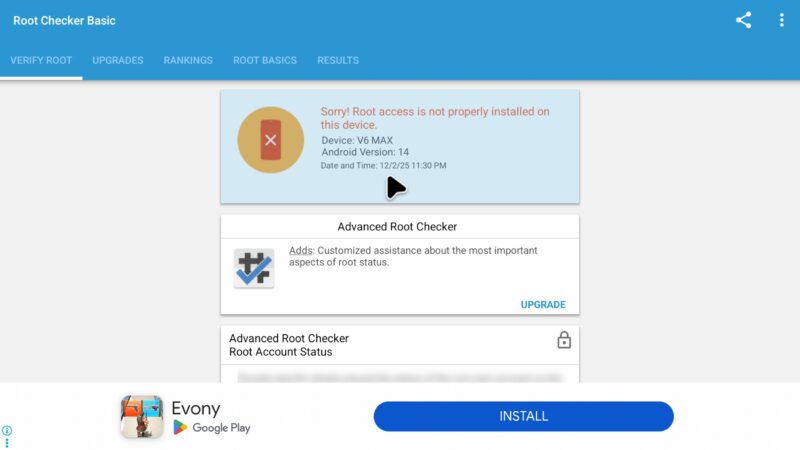
The vSeeBox V6 Max includes Google Widevine Level 1 certification. Additionally, HDCP 2.3 protection safeguards content. Moreover, the firmware remains unrooted for security.
Netflix and Streaming Performance
Netflix runs at HD 1080p quality reliably. However, 4K streaming isn’t available due to ESN limitations. Nevertheless, the HD experience satisfies most users.
For YouTube playback, 1440P resolution with HDR works comfortably. However, 4K 2160p content sometimes experiences freezing. Therefore, optimal quality sits around 1440P for smooth playback.
Screen Mirroring Options
The device doesn’t include official Miracast support. Instead, users can utilize the Airscreen app effectively. Consequently, Android device mirroring remains possible with third-party solutions.

vSeeBox V6 Max Video Format Testing
Testing revealed comprehensive format support. Specifically, HDR10 videos play flawlessly. Additionally, AV1 format compatibility works perfectly.
Dolby Vision content plays as HLG or HDR10. Meanwhile, HDR10+ videos default to standard HDR10 playback. Furthermore, official HLG videos display correctly.
Display Capabilities and Video Features
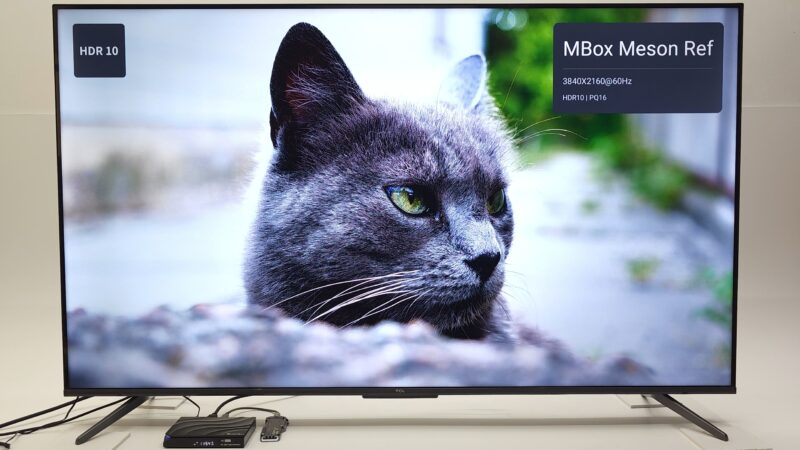
The V6 Max supports impressive video specifications. Specifically, it handles 4K 2160p resolution at 60Hz smoothly. Furthermore, HDR display capabilities include an adaptive HDR feature.
Additionally, auto framerate switching ensures optimal playback. Moreover, the device supports both HDR10 and HLG formats. However, it doesn’t include Dolby Vision or HDR10+ support.
Surround Sound Audio Performance
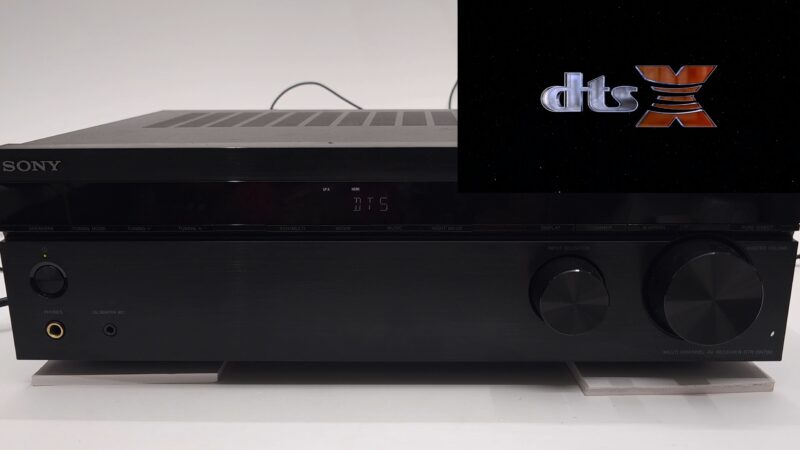
When connected to a 7.1 AV receiver, results impress. Specifically, Dolby Atmos and Dolby Digital Plus work excellently. Additionally, DTS Virtual X replaces DTS HD Master Audio.
Dolby Vision content outputs Dolby Surround audio. However, Dolby TrueHD plays as PCM instead. Similarly, DTS X content defaults to DTS Virtual X.
Gaming and App Installation
Sideloading games from Aptoide TV works successfully. However, not every game is compatible. Nevertheless, casual gaming remains enjoyable on the platform.
Performance Benchmarks
RAM transfer speed reaches 4021 MB/s impressively. Meanwhile, internal storage reads at 122 MB/s. Additionally, write speeds measure 67 MB/s.
Wi-Fi performance varies by band significantly. Specifically, 5GHz delivers maximum speeds. However, 2.4GHz averages around 84 Mbps. Notably, the LAN port isn’t gigabit-capable, averaging 94 Mbps.
CPU and Graphics Scores
The Geekbench 5 CPU test produced specific results. Single-core scored 109 points. Meanwhile, multi-core reached 371 points.
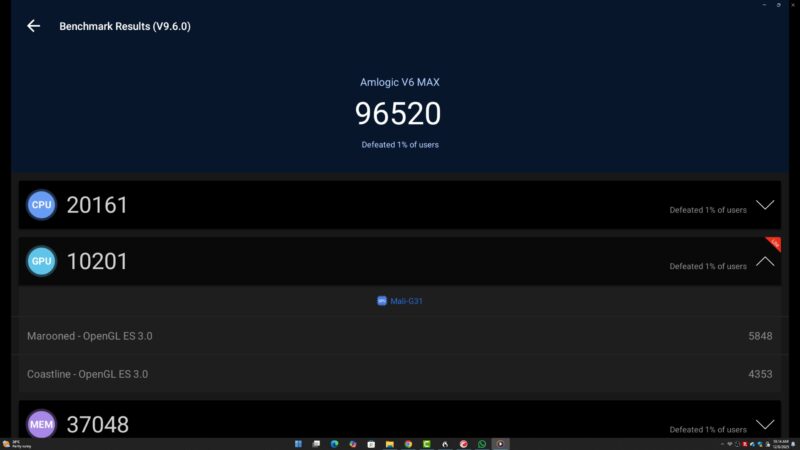
Graphics benchmarking showed 198 points in 3DMark Wildlife. Additionally, average FPS measured 1.2 frames. Finally, Antutu benchmark version 9.6.0 scored 96,520 points overall.
Final Rankings and Ratings
Among tested devices, the V6 Max ranks position 58. The hardware receives a 3/5 rating based purely on specifications. However, overall value depends on individual needs.
Strengths of the vSeeBox V6 Max
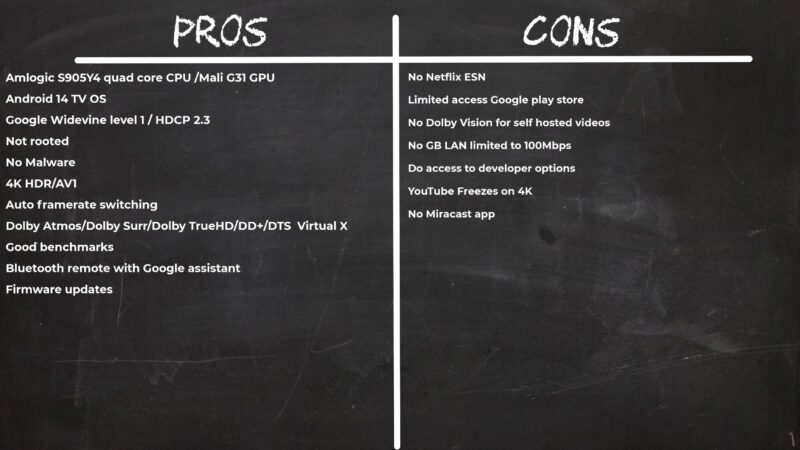
Several positives stand out clearly. First, vSeeBox chose Amlogic over cheaper Allwinner chipsets. Additionally, Netflix HD quality works reliably. Moreover, 4K HDR video playback impresses consistently.
Furthermore, Dolby and DTS surround sound enhance personal media. Therefore, the entertainment experience feels premium overall.
Areas for Improvement
A few limitations exist worth noting. Specifically, there’s no official Netflix ESN. Additionally, the LAN port lacks gigabit speeds. Moreover, the Amlogic chipset isn’t optimized for gaming.
However, these drawbacks remain minor for typical users. Consequently, most entertainment needs are met satisfactorily.
Should You Buy the vSeeBox V6 Max?
This device targets specific entertainment needs effectively. If you prioritize HD streaming and 4K playback, it delivers. Additionally, the Amlogic chipset provides reliable performance.
Furthermore, the comprehensive format support satisfies most requirements. Therefore, casual users find excellent value here.
Available Here $50 OFF – vSeeBox V6 Max
$50 OFF COUPON: JOHNS50