The Superbox S7 Ultra is one of the most talked-about streaming devices of 2025, and after spending quality time with it, it’s easy to see why so many cord-cutters are making the switch. Whether you’re tired of paying sky-high cable bills or simply want a smarter, more flexible home entertainment setup, this box promises to deliver. But does it live up to the hype? Let’s break it all down.
What’s Inside the Box?
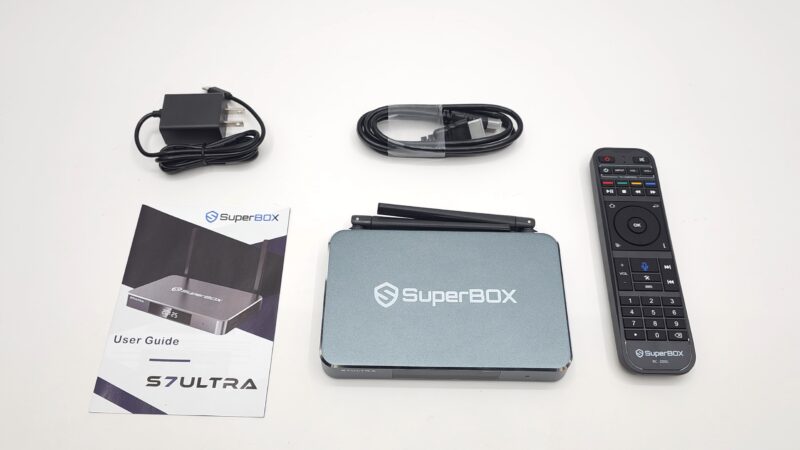
Before diving into performance, let’s talk about what you actually get with your purchase. Superbox doesn’t skimp on the accessories. Inside the box you’ll find the S7 Ultra unit itself, a Bluetooth voice remote, an HDMI cable, a 5V DC power adapter, and a user guide. It’s a solid out-of-the-box experience that gets you up and running without needing to hunt down extra cables.
Superbox S7 Ultra Design and Build Quality
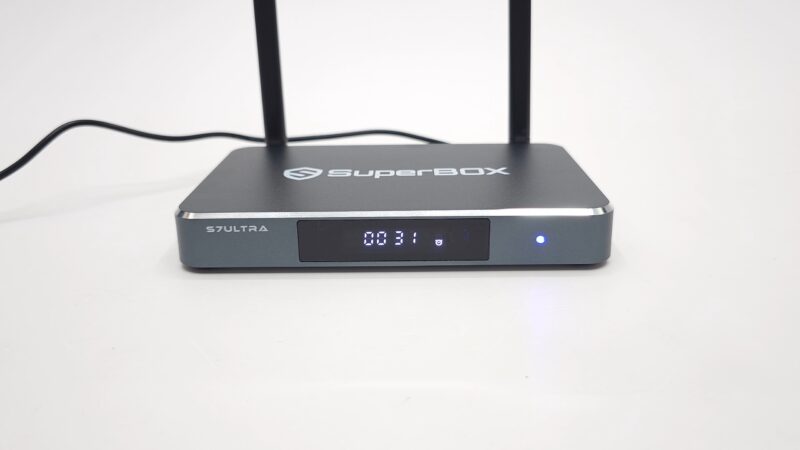
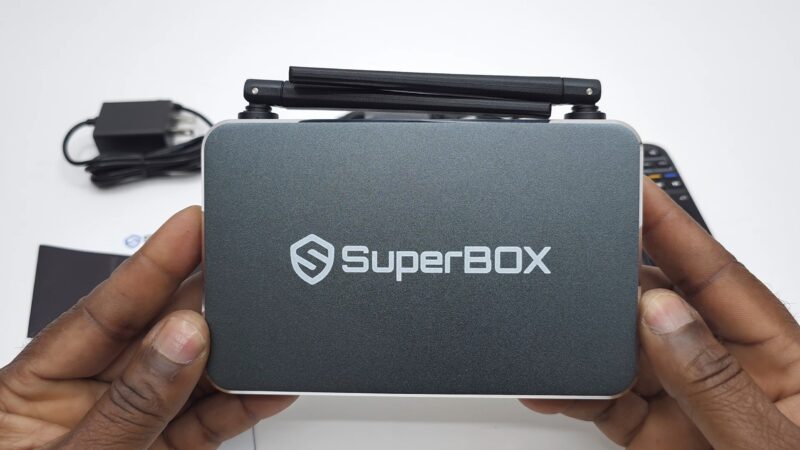
First impressions matter, and the S7 Ultra makes a strong one. The unit features an aluminum metal housing with polished edges and the Superbox branding on top, giving it a premium look that stands out from the sea of plastic streaming boxes on the market. It’s the kind of device you won’t mind sitting on your entertainment center out in the open.
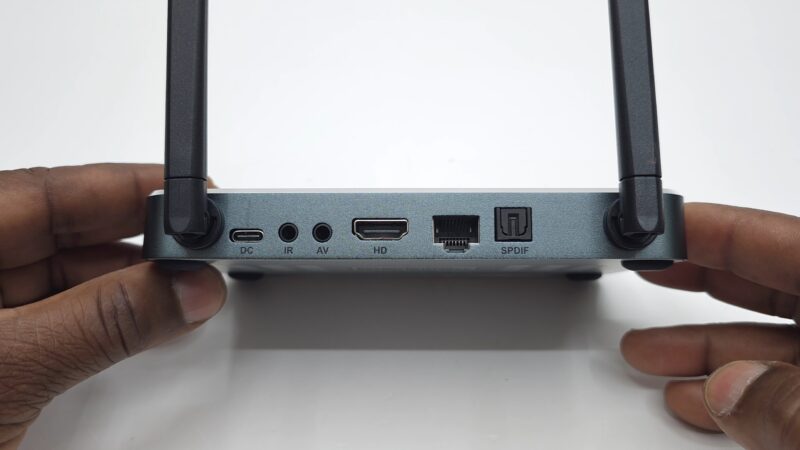
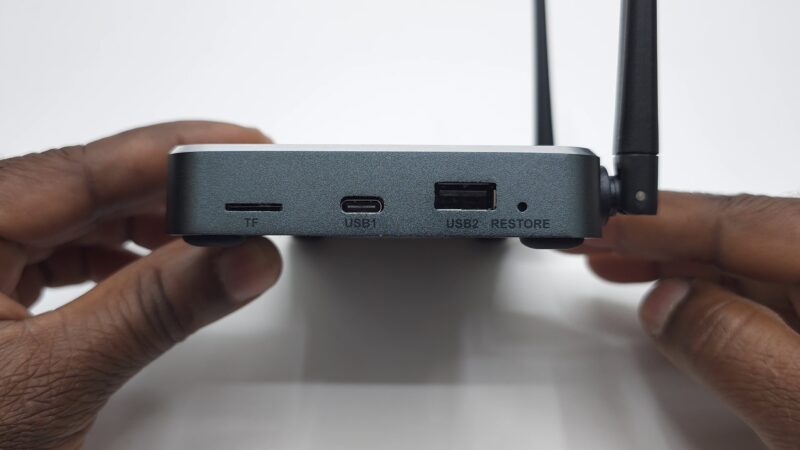
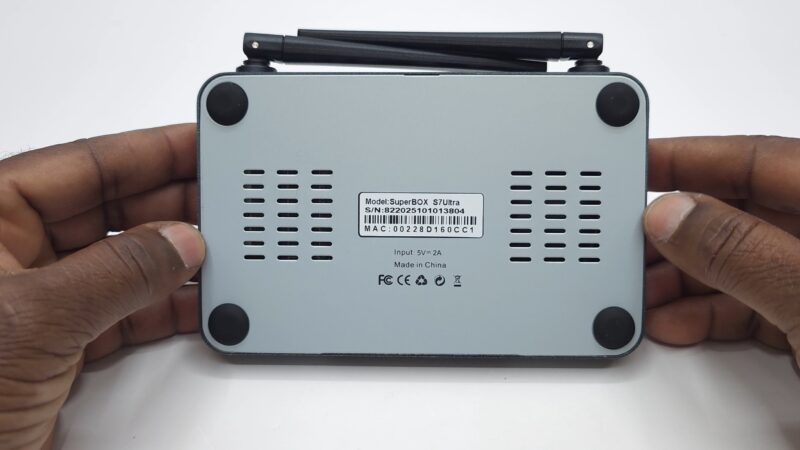
On the connectivity side, it’s well equipped. You get an HDMI 2.1 port, a gigabit LAN port, optical audio output, an AV port, an IR extender port, a USB Type-C power delivery port, and a pair of Wi-Fi 6 external antennas at the rear. Along the side you’ll find an additional USB Type-C port, a USB 2.0 port, a microSD card slot, and a reset button. The front features an LED display, and the underside has four rubber feet along with generous ventilation holes to keep things cool during long streaming sessions.
Setup and User Interface
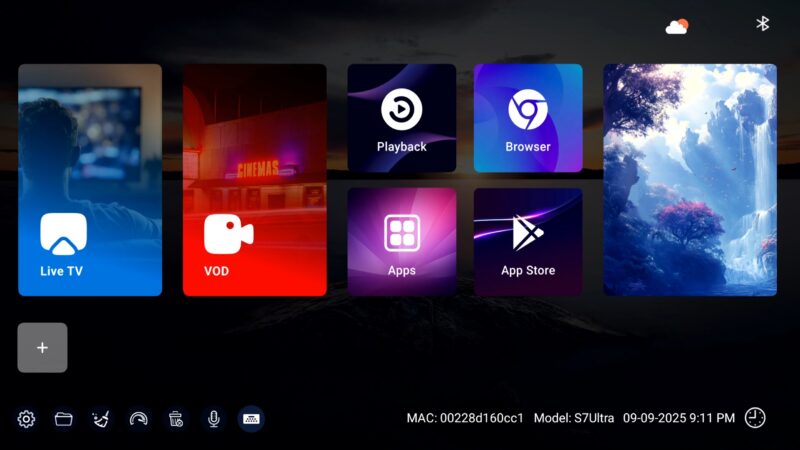
Getting started with the S7 Ultra is straightforward. On first boot, you’re walked through a setup wizard that covers the disclaimer, internet connection, and screen size adjustment. Once done, you land on the Launcher 7 interface — a clean, easy-to-navigate home screen with large icons, a custom app store, the Google Play Store, and a built-in browser.
The bottom bar gives you quick access to settings, a file browser, memory cleanup, a speed test tool, app management, and a support page. It’s a practical layout that keeps everything within reach without feeling cluttered. The included Bluetooth voice remote pairs easily by holding the OK and back buttons simultaneously until the LED flashes, and it also works in infrared mode as a fallback.
Superbox S7 Ultra Hardware and Chipset
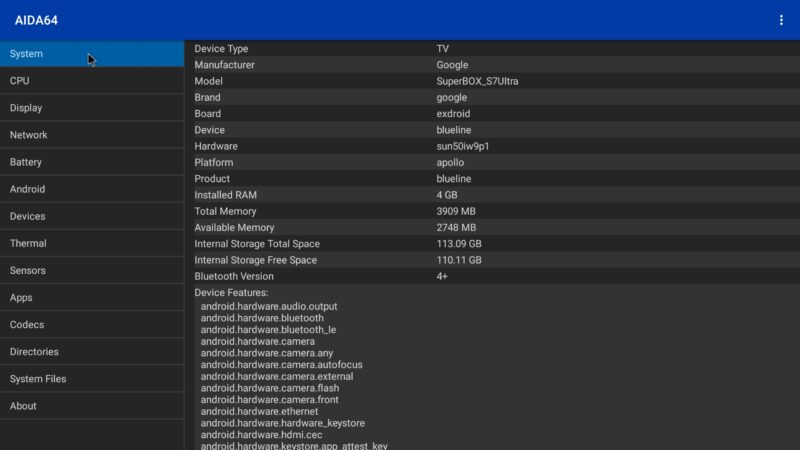
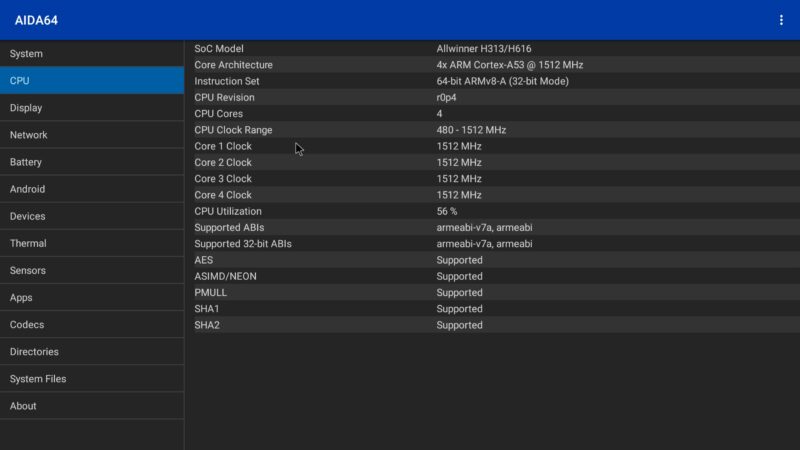
Under the hood, the S7 Ultra runs on the Allwinner H313/H616 chipset, a quad-core Cortex-A53 processor clocked at 1.5GHz operating in 32-bit mode. It’s paired with 4GB of LPDDR4X RAM and 128GB of internal storage, giving you plenty of room for apps and media. The GPU is a Mali G31 with OpenGL ES 3.2 and Vulkan API 1.1 support.
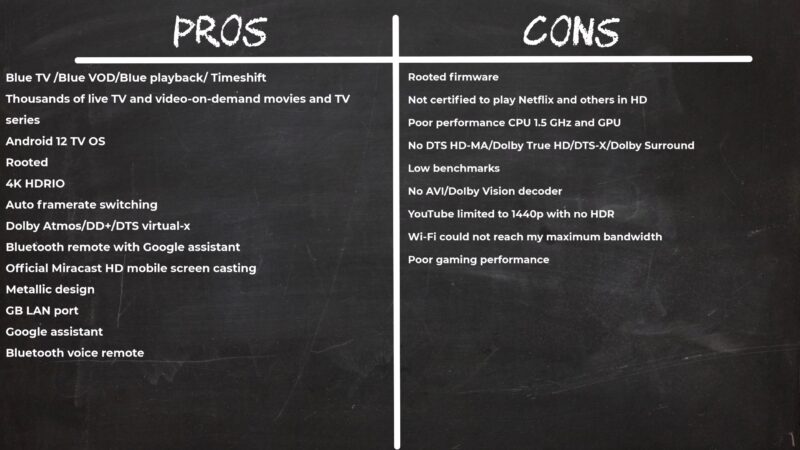
It’s worth being upfront here — this is not a gaming chipset. It’s built for streaming, and that’s where it focuses its energy. For casual or light to medium gaming you can still have some fun, but don’t expect flagship GPU performance from this one.
Connectivity-wise you get dual-band Wi-Fi 6 supporting both 2.4GHz and 5GHz bands alongside the gigabit LAN port, Bluetooth 5.0, and Miracast support for wireless screen casting from your Android device. In testing, Miracast performed well — fast, responsive, and solid HD quality.
One thing to flag is the idle CPU temperature, which sits at around 61°C. That’s on the warmer side for idle operation, so make sure the unit has adequate airflow around it.
4K, HDR, and Audio Performance
The S7 Ultra outputs up to 4K at 60Hz and supports HDR10 with an auto HDR feature and up to 10-bit color depth. Hardware video decoding covers HEVC and HDR10, which handles the majority of mainstream 4K content without issue.
However, there are some limitations to be aware of. AV1 decoding is not supported, and neither is Dolby Vision. HLG formatted videos technically play back but the box defaults to HDR10 rather than triggering the HLG mode on your TV, so true HLG support is effectively absent.
On the audio side, HDMI surround sound passthrough is present, but there are no built-in hardware surround sound decoders. This means that while compatible audio signals can be passed through to a capable AV receiver or soundbar, the box itself cannot decode formats like Dolby Atmos or DTS:X internally.
For YouTube, the Android TV app tops out at 1440p without HDR, which is a minor drawback for those expecting full 4K YouTube playback.

Superbox S7 Ultra Benchmark Performance
Let’s look at the numbers. In RAM and storage testing, the S7 Ultra delivered a RAM copy speed of 2,523 MB/s, internal storage read speeds of 126 MB/s, and write speeds of 94 MB/s — respectable figures for a streaming-focused device.
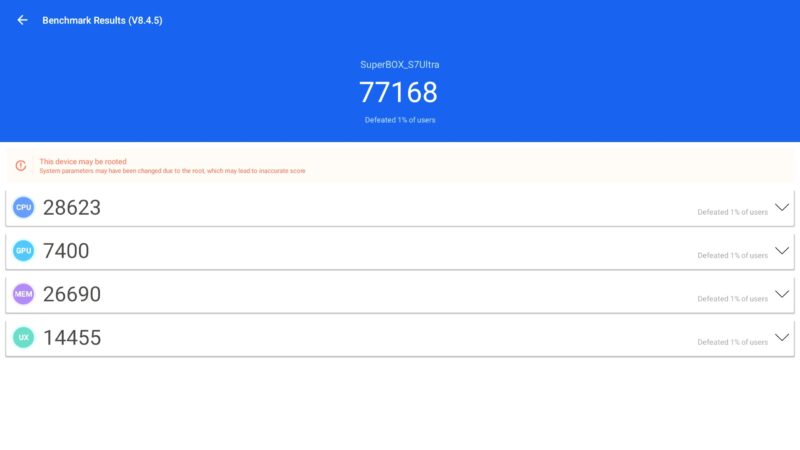
CPU performance via Geekbench 5 scored 100 single-core and 370 multi-core. GPU performance via the 3DMark Wildlife test produced a score of 127 with an average of 0.80fps, confirming this is not a graphics powerhouse. The Antutu benchmark clocked in at 77,168 using version 8.4.5, which is the only compatible version for this Allwinner chipset.
On the TV Box Ranking Chart, the S7 Ultra currently sits at position 103 with a 3 out of 5 star rating — consistent with what you’d expect from an Allwinner-based device focused purely on streaming rather than raw performance.
Should You Buy the Superbox S7 Ultra?
If you’re in the market for a capable, well-built cord-cutting streaming box with a premium design and a solid app ecosystem, the Superbox S7 Ultra delivers where it counts. It’s not the most powerful box on the market, and it has clear limitations around advanced HDR formats and audio decoding, but for its intended purpose it gets the job done reliably.
If raw benchmark performance or gaming capability is a priority, you may want to look at higher-end chipsets. But if your goal is a clean, stable, and easy-to-use streaming experience wrapped in a premium aluminum shell, the S7 Ultra is worth serious consideration.
Use coupon code TVBOXSTOP for 10% off your purchase. Check the TV Box Ranking Chart to compare it against other devices before you buy.