The BuzzTV G-Series is the latest Android TV box powered by the new Amlogic S905X5M chipset, and it aims to deliver improved performance, better streaming quality, and a refined Google TV experience. In this updated review, we go deeper into what has changed, what works well, and what you should know before buying.
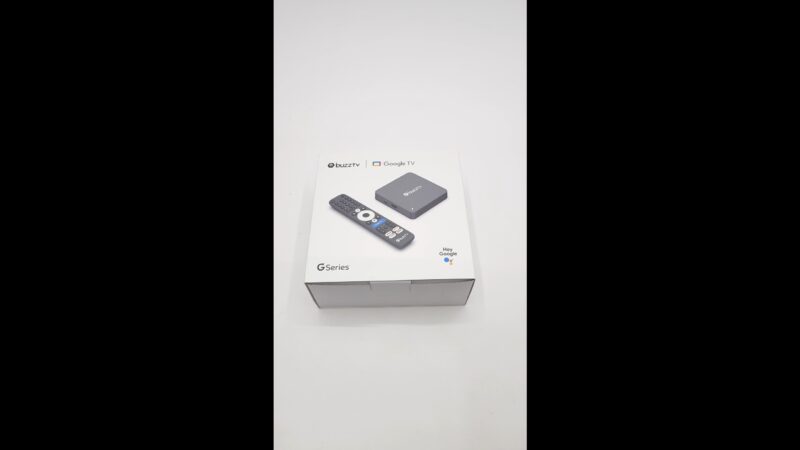
What’s Included in the Box?
First, let’s start with the essentials. Inside the package, you get the BuzzTV G-Series unit, a Bluetooth voice remote with Google Assistant, two AAA batteries, an HDMI cable, a 5V/2A power adapter, and a quick start guide.
Everything is straightforward. Therefore, setup is quick and beginner-friendly. You can plug in and start streaming within minutes.
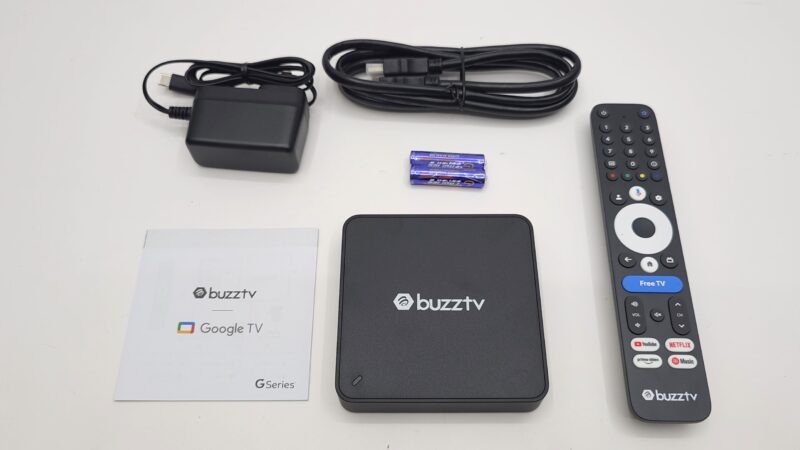
Design and Build Overview
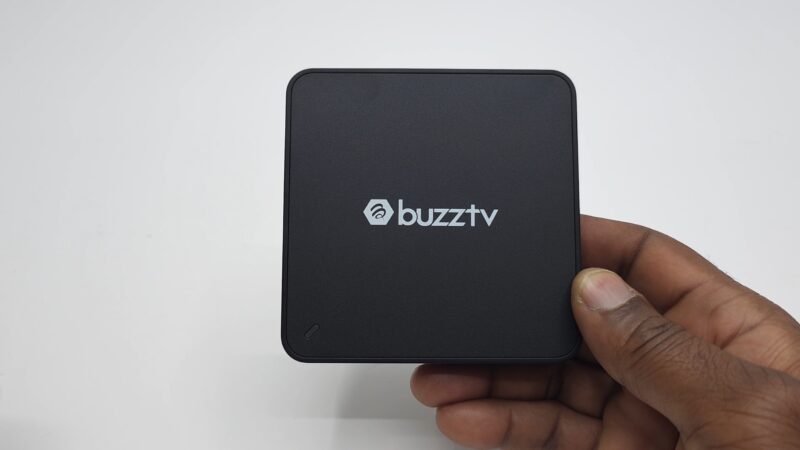
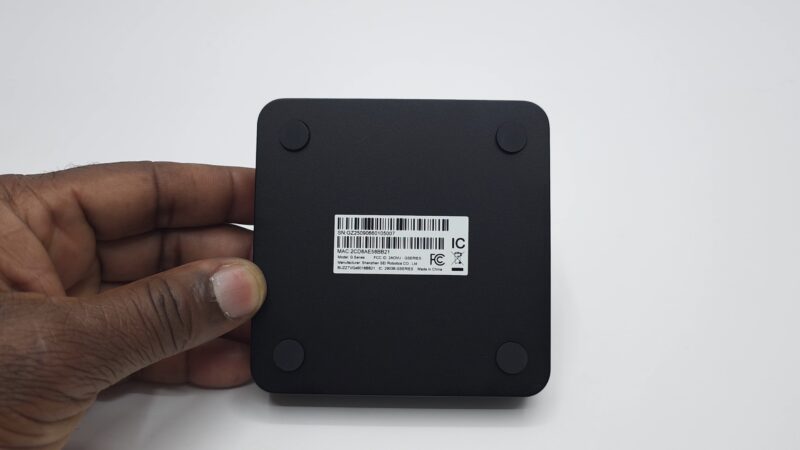
The design remains simple. It features a plastic shell with the BuzzTV logo on top and a small LED indicator.
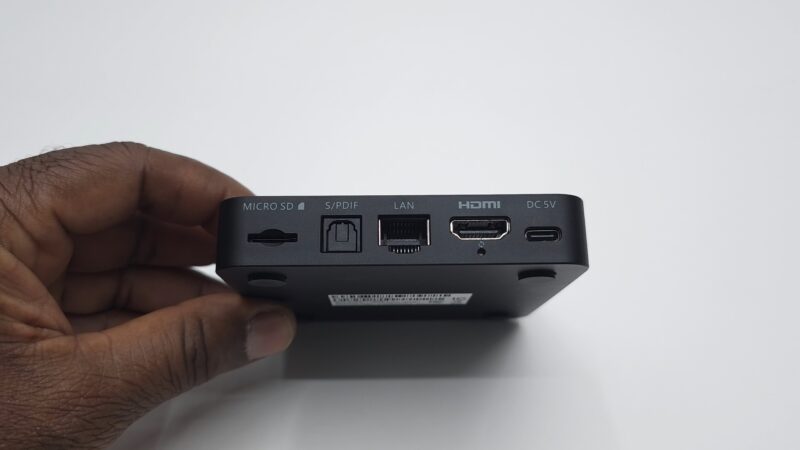
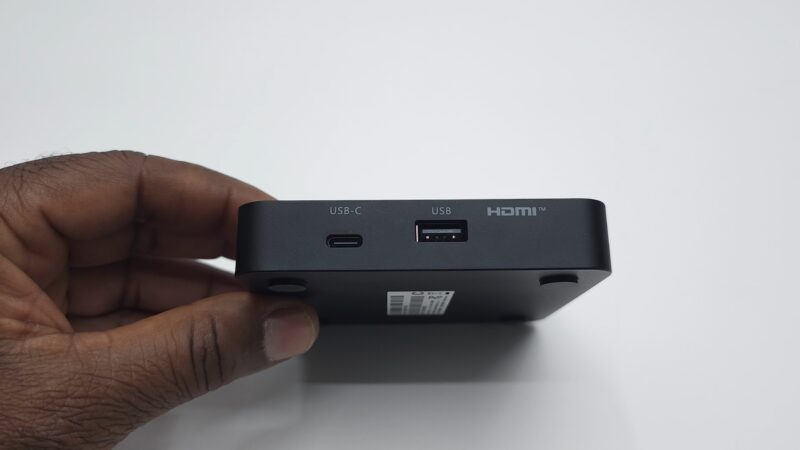
On the back, you will find HDMI 2.1, Gigabit Ethernet, optical audio, an SD card slot, USB-C power input, and a reset button. On the side, there is an additional USB-C port and a USB 2.0 port.
However, there are no ventilation holes. As a result, heat management could become an issue. So, proper placement is important to avoid overheating.
BuzzTV G-Series Hardware and Specs
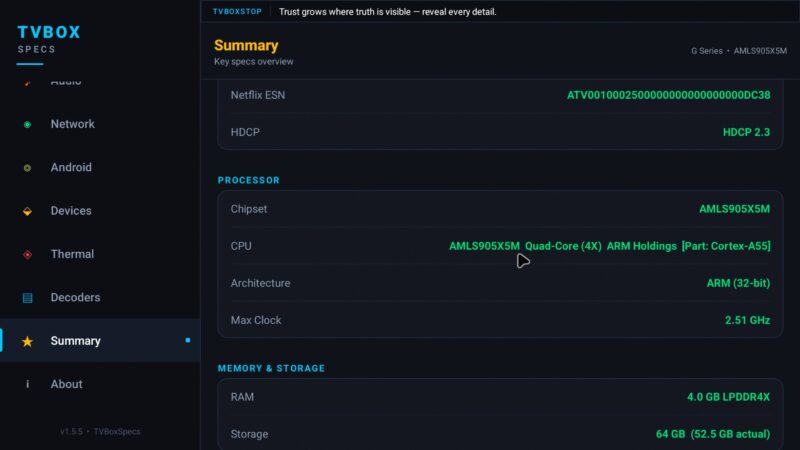
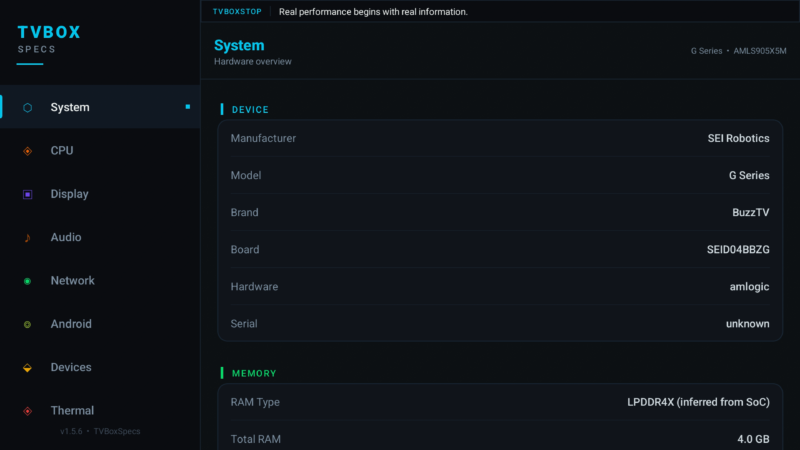
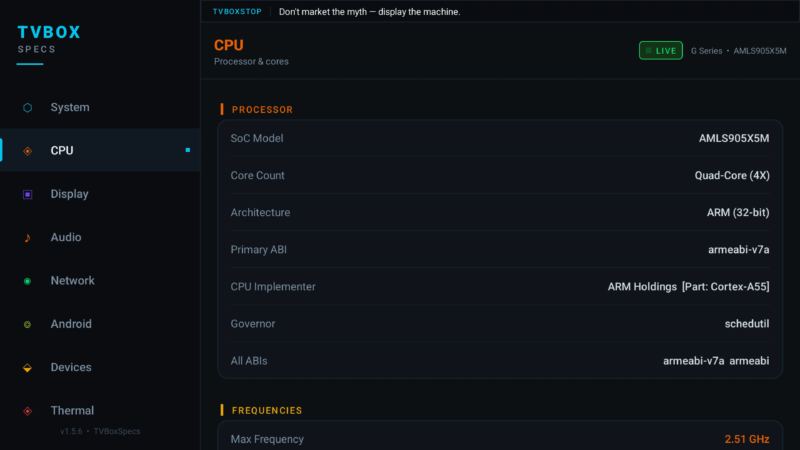
Under the hood, the device runs on the Amlogic S905X5M processor. It is a quad-core Cortex-A55 CPU clocked at 2.51 GHz.
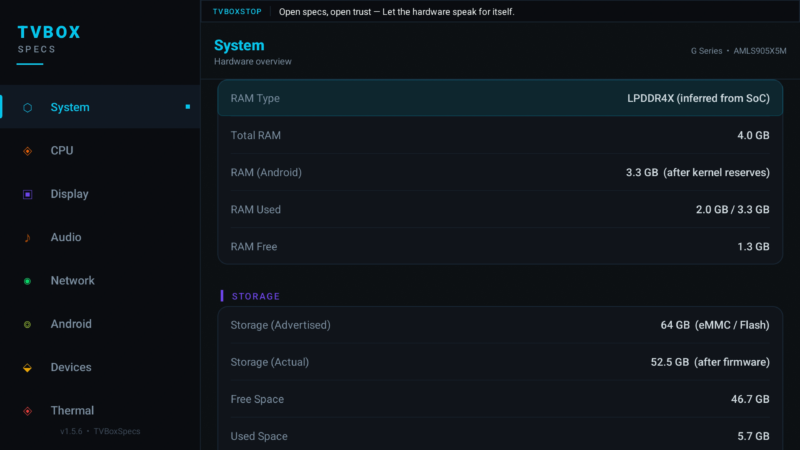
Additionally, it includes 4GB of LPDDR4X RAM and 64GB of storage. This is a solid configuration for streaming and general use.
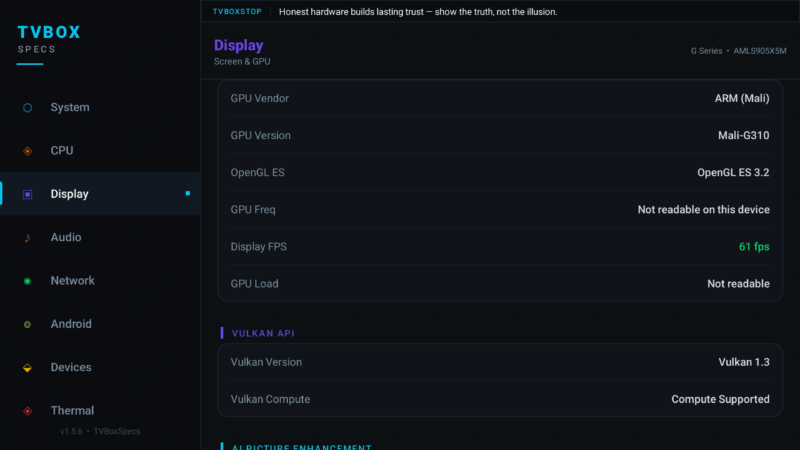
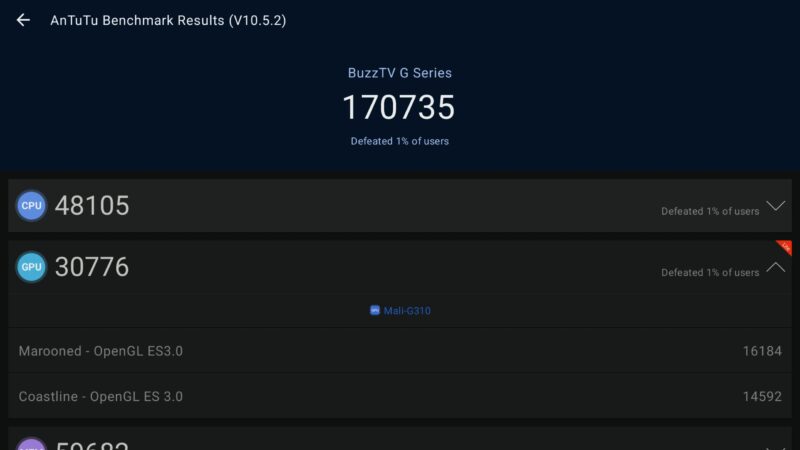
The GPU is the Mali G310. It supports OpenGL ES 3.2 and Vulkan 1.3. Therefore, graphics performance is decent, but not groundbreaking.
Software Experience and Certification
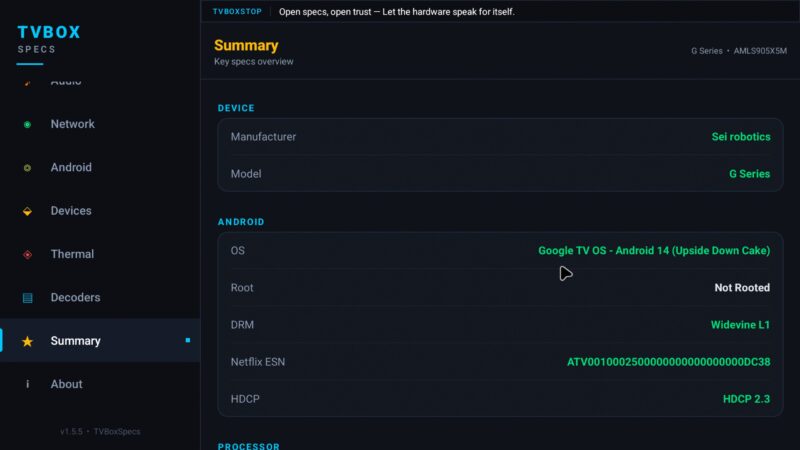
The device runs Android 14 with the official Google TV interface. This is important. It means the box is fully Google certified.
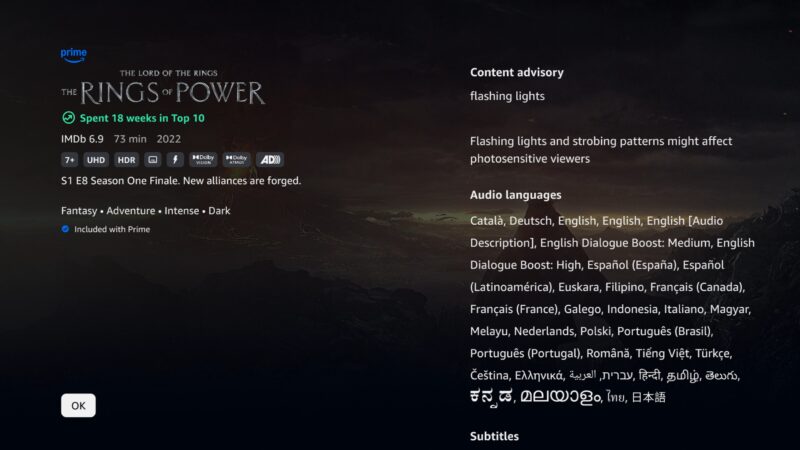
Because of this, you get Widevine L1 and HDCP 2.3. As a result, you can stream Netflix, Prime Video, and other services in full HD and 4K with Dolby Vision and Dolby Atmos.
Moreover, the system is not rooted. Therefore, compatibility with premium apps remains intact.
Streaming Performance on BuzzTV G-Series
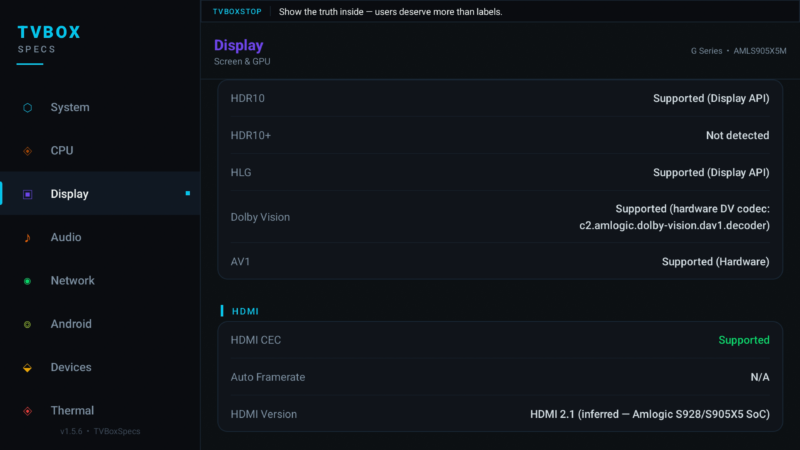
Streaming is where this device performs best. It supports HDR10, HLG, AV1, and Dolby Vision.
Consequently, video playback looks sharp and detailed. Colors are vibrant, and motion is smooth. In addition, YouTube supports up to 4K HDR playback.
However, HDR10+ is not supported. Instead, content falls back to HDR10 when needed.
Audio Capabilities and Limitations
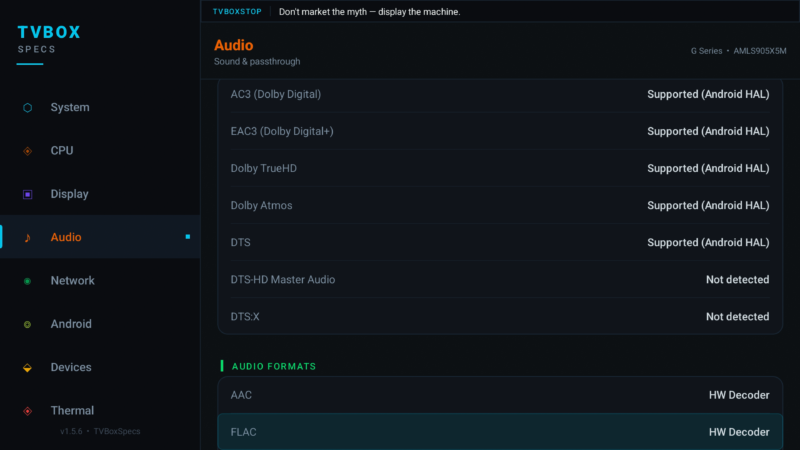
The BuzzTV G-Series supports Dolby Atmos, Dolby Digital Plus, and Dolby TrueHD.
That said, DTS-HD Master Audio and DTS:X are not fully supported. Therefore, the system falls back to DTS Virtual X.
Even so, for most streaming platforms, the audio experience remains excellent.
BuzzTV G-Series IPTV and BuzzTV 6 App
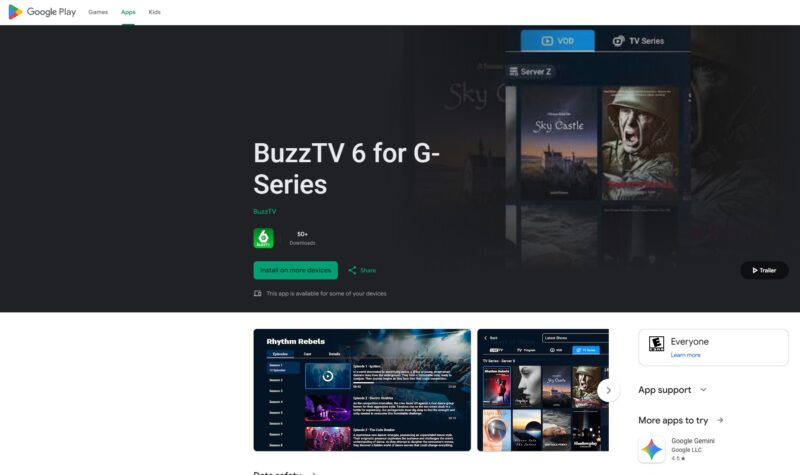
One major highlight is the BuzzTV 6 app. It is now available on the Google Play Store as an official app.
It features a redesigned interface, improved navigation, and a powerful universal search. In addition, it offers quick shortcuts for subtitles and recording.
However, it only works on BuzzTV devices. So, it is exclusive to this ecosystem.
Connectivity and Network Improvements
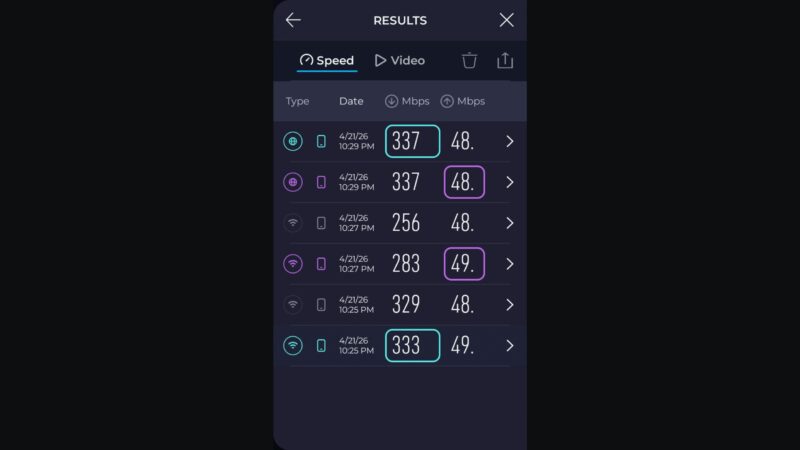
This updated version shows clear improvements in network performance. It includes dual-band Wi-Fi with Wi-Fi 6 enhancements and a Gigabit Ethernet port.
Notably, the 5GHz Wi-Fi band and Ethernet both reached maximum speeds of 335 Mbps during testing. Meanwhile, the 2.4GHz band achieved around 283 Mbps, which is a big improvement over previous models.
Therefore, streaming and buffering performance is reliable and consistent.
Storage and External Drive Compatibility
When using external storage, there is one important detail. The device does not support NTFS formatting.
Instead, drives must be formatted in exFAT. Otherwise, they will not be recognized.
So, before connecting your storage device, make sure it is properly formatted.
Video Playback and Format Support
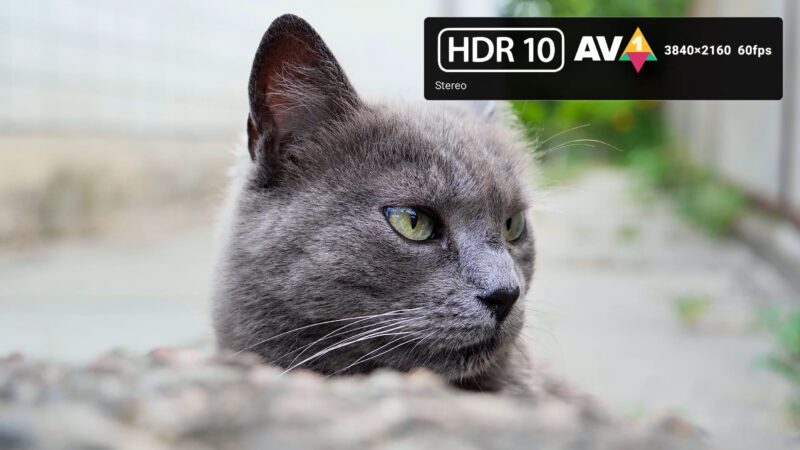
The device supports a wide range of formats including HDR10, AV1, Dolby Vision, and HLG.
However, HDR10+ is not supported and falls back to HDR10. Still, playback quality remains strong across supported formats.
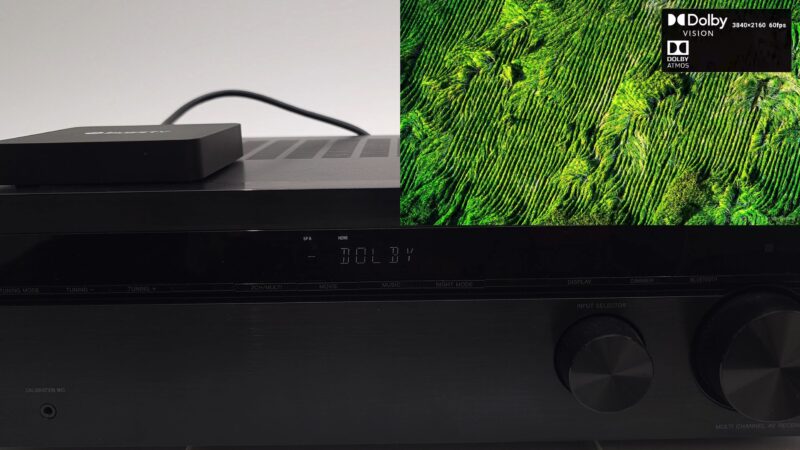
Additionally, the device handles Dolby Vision with both stereo and Dolby Atmos audio effectively.

Surround Sound Testing Results
In testing, Dolby Atmos, Dolby Digital Plus, Dolby Surround, and Dolby TrueHD all worked correctly.
However, DTS-HD Master Audio and DTS:X were not fully decoded. Instead, they defaulted to DTS Virtual X.
Also, it is worth noting that the chipset still has some bugs. Media players like VLC and Kodi showed limitations. Therefore, full audio support may depend on app optimization.
Gaming Performance and Limitations
Although the GPU shows decent benchmark scores, gaming performance is limited in real-world use.
This is mainly due to Google Play Store restrictions and APK compatibility issues. Even cloud gaming showed high latency.
As a result, this device is not ideal for gamers.

Benchmark Results and Rankings
The BuzzTV G-Series delivered solid mid-range benchmark results. It achieved a RAM speed of 4454 MB/s and storage speeds of 236 MB/s read and 117 MB/s write.
In Geekbench 5, it scored 196 single-core and 692 multi-core.
In Antutu (version 10), it scored 170,735. However, it could not complete version 11, which suggests compatibility issues with the new chipset.
Overall, it ranks around position 17 as of April 2026 On My TV Box Rankings Chart.
Who Should Buy the BuzzTV G-Series?
This device is perfect for streaming enthusiasts. If you use Netflix, Prime Video, Disney+, or similar platforms, this box delivers excellent results.
It is also ideal for IPTV users thanks to the BuzzTV 6 app.
However, if you prefer gaming, APK sideloading, or advanced customization, this device may not meet your expectations.
Final Verdict on BuzzTV G-Series
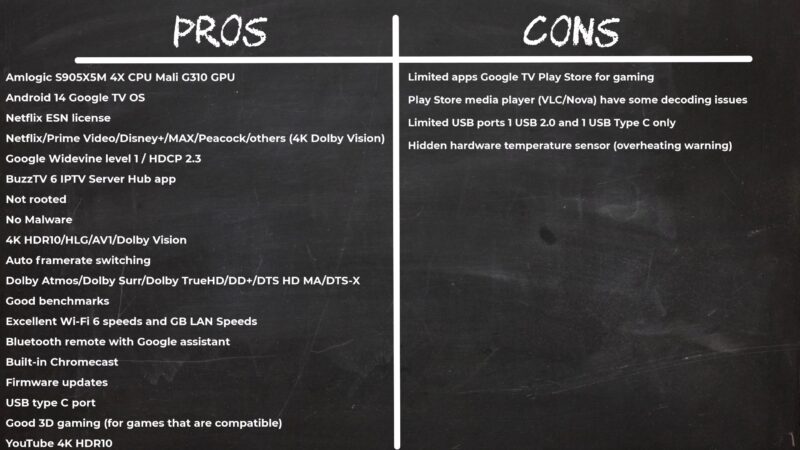
In conclusion, the BuzzTV G-Series is a strong choice for users focused on streaming quality and official app support.
It offers excellent certification, solid performance, and improved network speeds. However, it has limitations in gaming, DTS audio support, and thermal management.
Therefore, if your priority is smooth 4K streaming with Dolby Vision and Atmos, this device is worth considering.